/ DIAGRAM LIBRARY

68 diagrams of how WiFi attacks actually work.

Every diagram we drew to explain an attack or a detection, in one place — and yours to reuse. Published under CC BY 4.0: take any of them for a talk, a write-up, or a class, as long as you credit the source.

/ THE LICENCE

Free to use. Credit required.

These diagrams are released under the Creative Commons Attribution 4.0 International licence. Commercial use is fine. Modification is fine.

/ HOW TO CREDIT

Name the source and link back to the page the diagram came from. Every card below has a Copy embed code button that produces correctly-attributed HTML, so you don't have to think about it.

Diagram by WifiThreatWatchCC BY 4.0
/ WHY WE DO THIS

Most people never see a clear picture of what an attacker on their network is actually doing. Explaining that well is worth more to us than keeping the drawings to ourselves — and the diagrams are only useful if people can use them.

/ ATTACKS

Attacks23

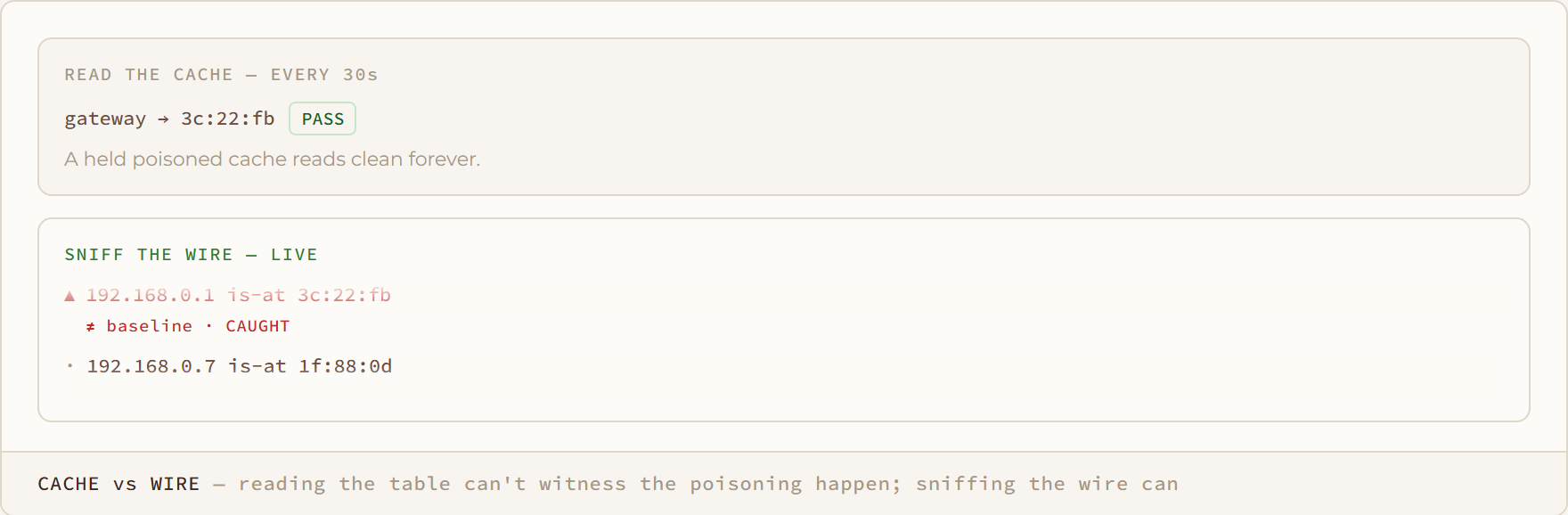
Cache vs Wire diagram: reading the table can't witness the poisoning happen; sniffing the wire can

Cache vs Wire

reading the table can't witness the poisoning happen; sniffing the wire can

Arp spoofing
Deauth Flood diagram: the AP is still right there — but you keep getting kicked off
Deauth Flood

the AP is still right there — but you keep getting kicked off

Deauth flood
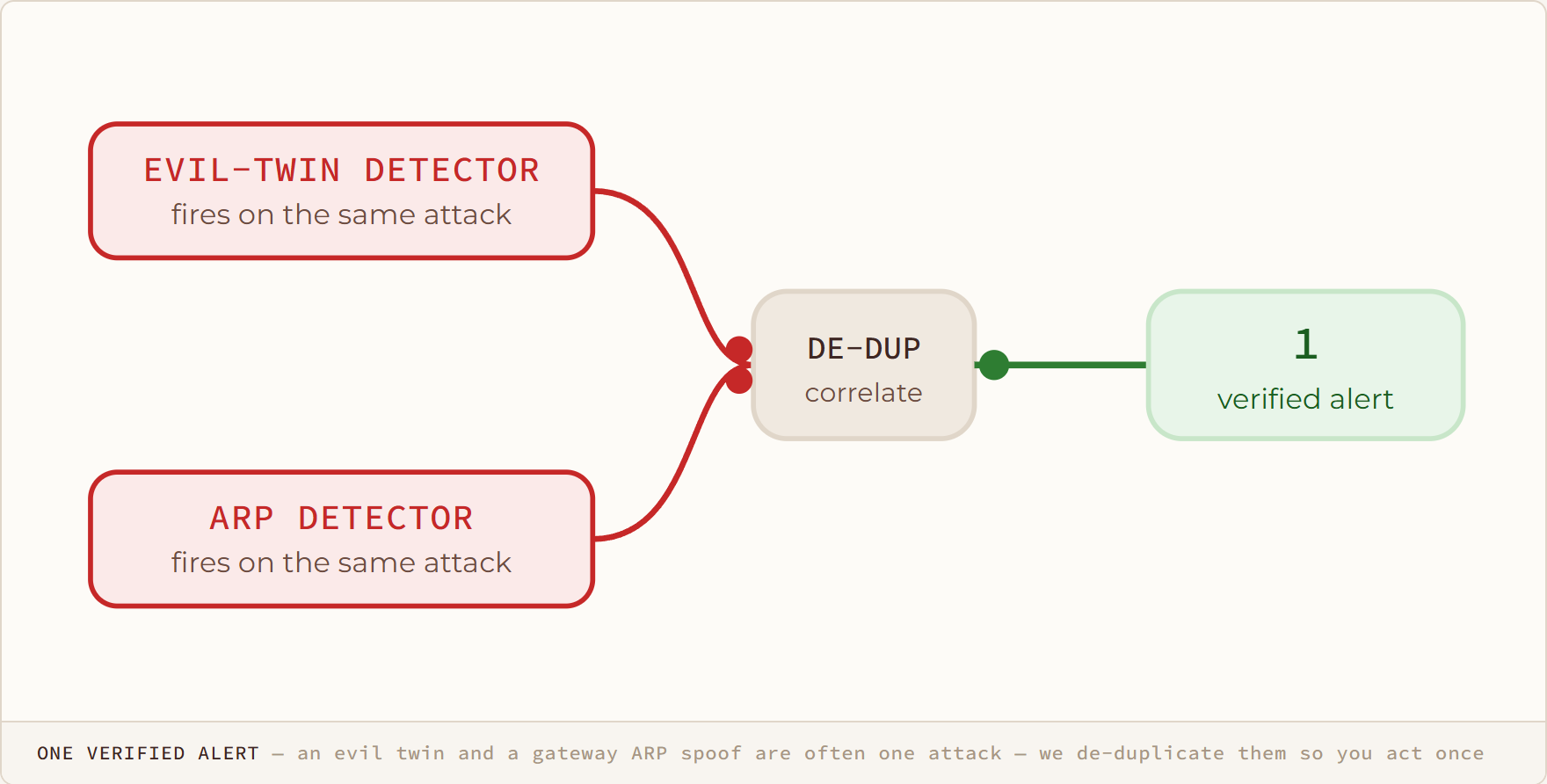
One Verified Alert diagram: an evil twin and a gateway ARP spoof are often one attack — we de-duplicate them so you act once

One Verified Alert

an evil twin and a gateway ARP spoof are often one attack — we de-duplicate them so you act once
Evil twin
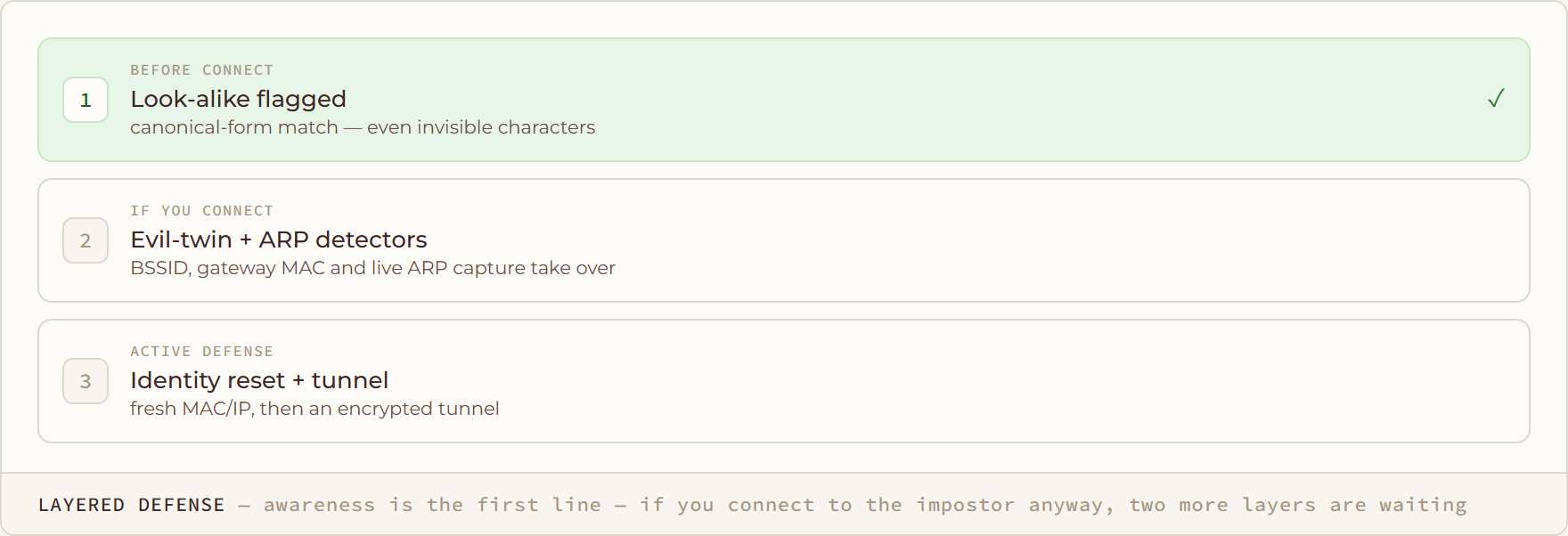
Layered Defense diagram: awareness is the first line — if you connect to the impostor anyway, two more layers are waiting

Layered Defense

awareness is the first line — if you connect to the impostor anyway, two more layers are waiting
Homoglyph ssid
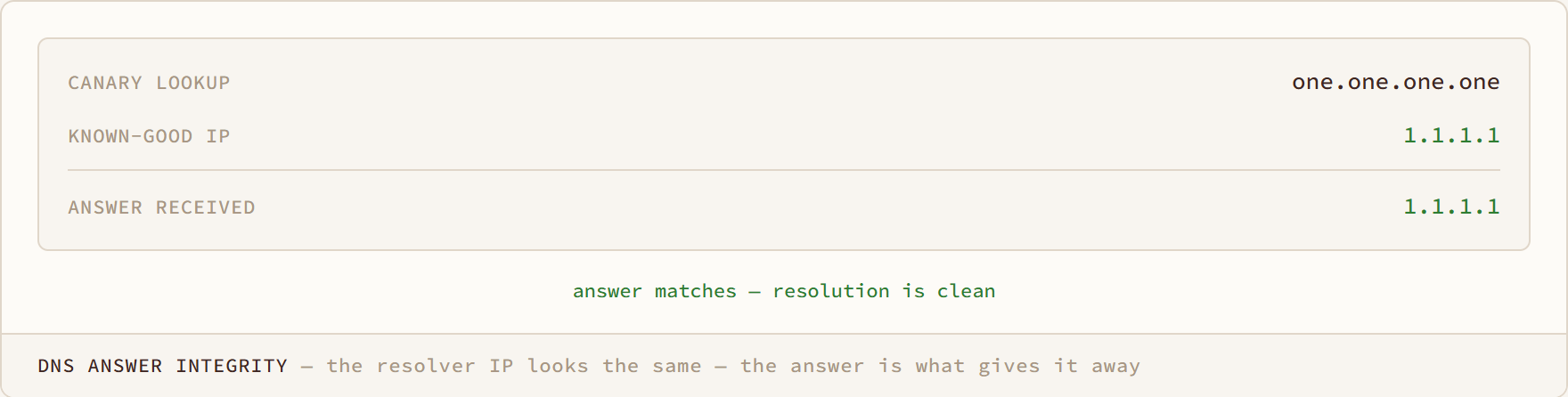
DNS Answer Integrity diagram: the resolver IP looks the same — the answer is what gives it away

DNS Answer Integrity

the resolver IP looks the same — the answer is what gives it away

Dns spoofing
DNS Redirect diagram: the same lookup, answered by whichever resolver sits in the middle
DNS Redirect

the same lookup, answered by whichever resolver sits in the middle

Dns anomaly
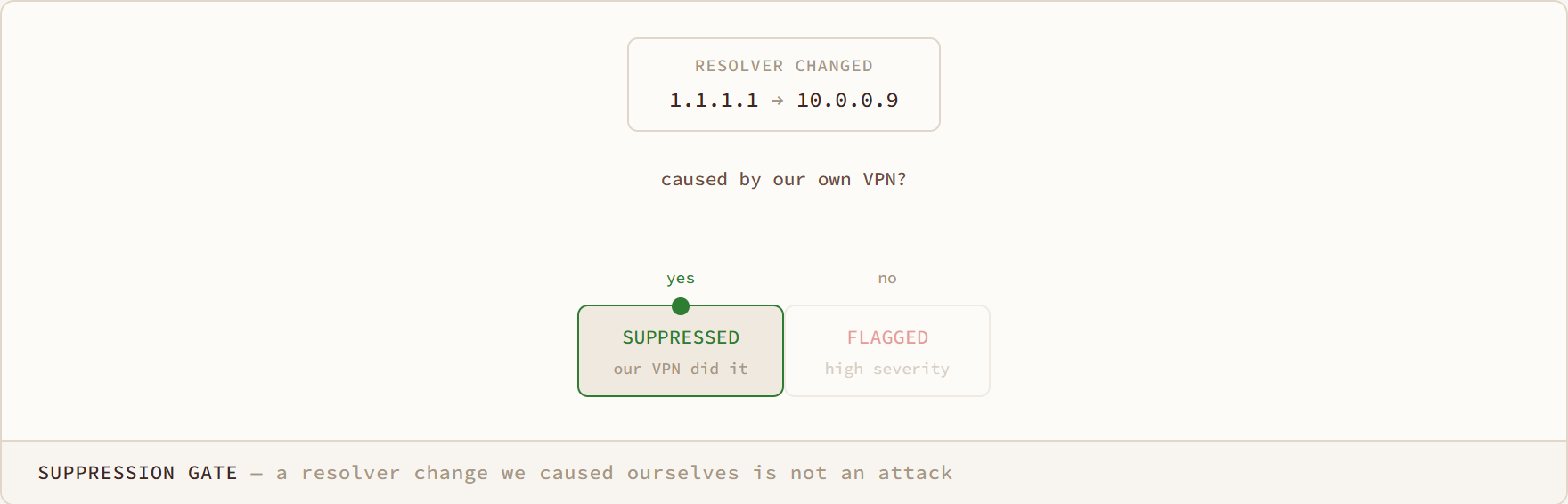
Suppression Gate diagram: a resolver change we caused ourselves is not an attack

Suppression Gate

a resolver change we caused ourselves is not an attack

Dns anomaly
Escalation diagram: a new device is informational — until it acts like an attacker, and the same detection turns critical
Escalation

a new device is informational — until it acts like an attacker, and the same detection turns critical

Rogue device
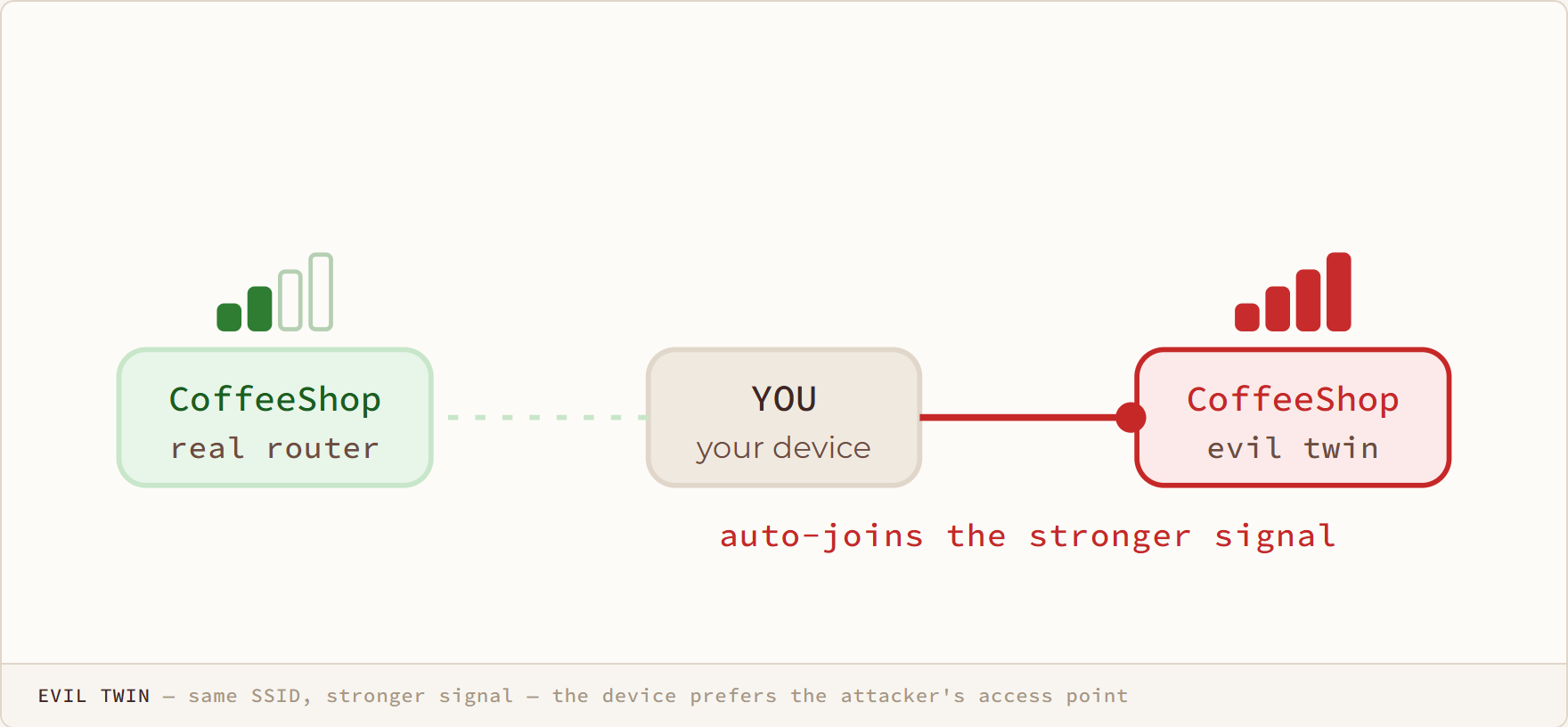
Evil Twin diagram: same SSID, stronger signal — the device prefers the attacker's access point
Evil Twin

same SSID, stronger signal — the device prefers the attacker's access point

Evil twin
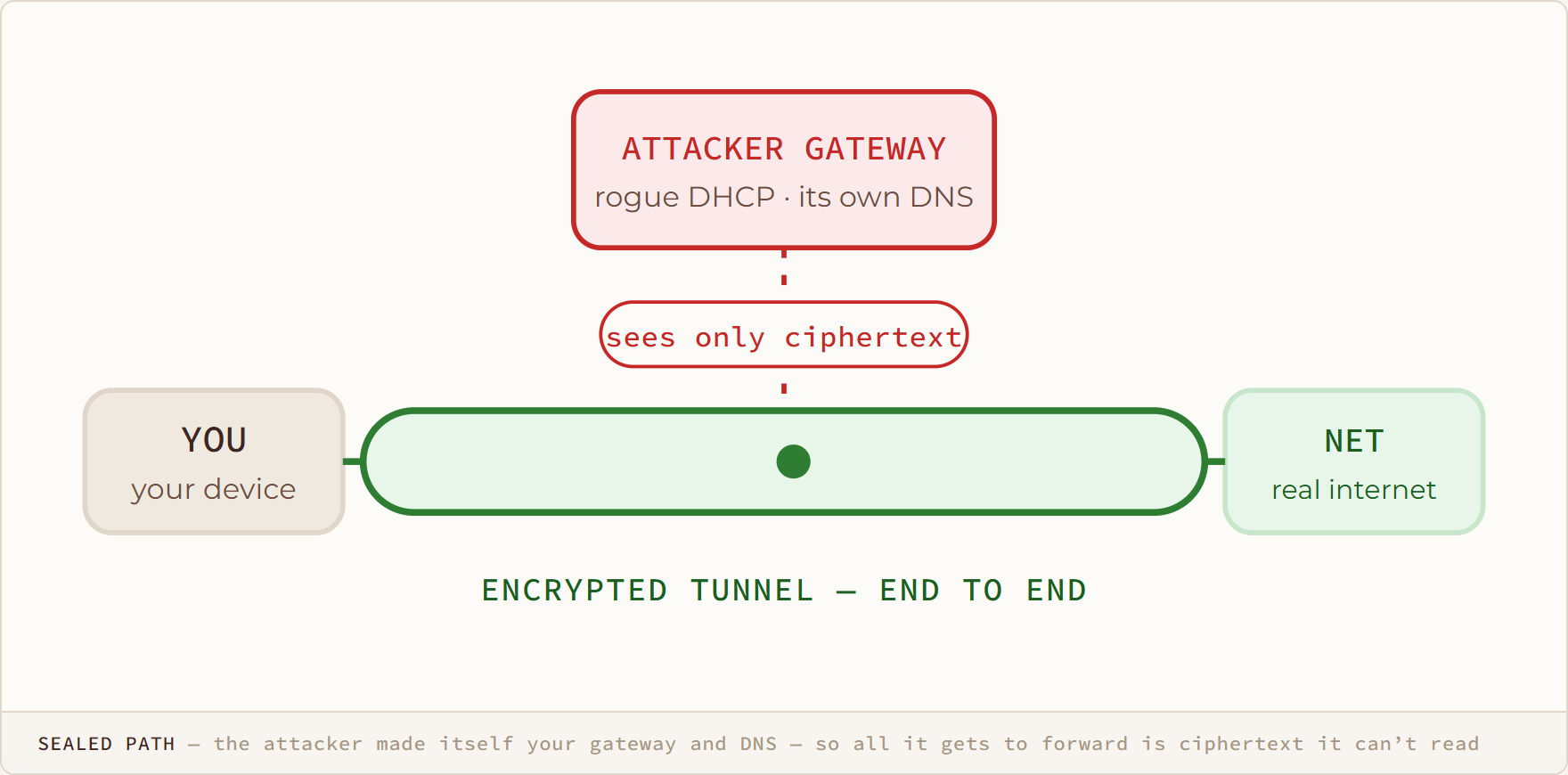
Sealed Path diagram: the attacker made itself your gateway and DNS — so all it gets to forward is ciphertext it can’t read
Sealed Path

the attacker made itself your gateway and DNS — so all it gets to forward is ciphertext it can’t read

Rogue dhcp
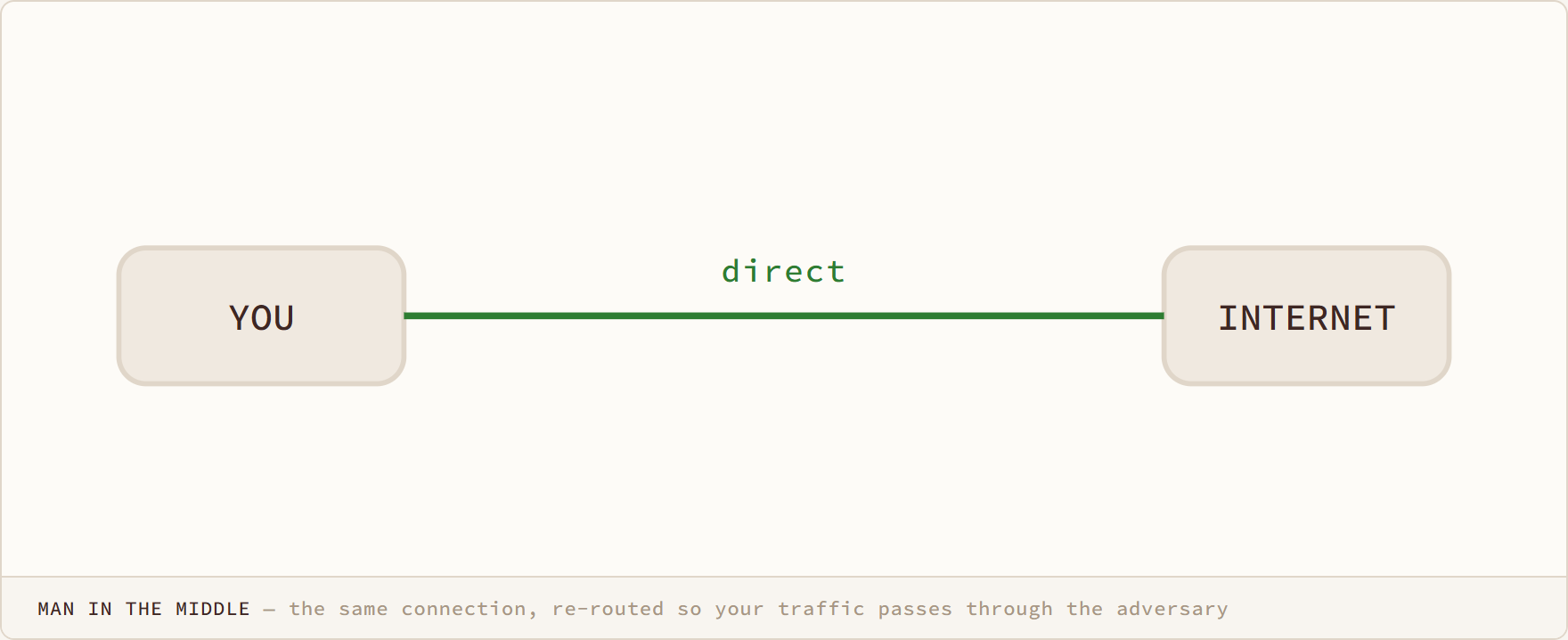
Man in the Middle diagram: the same connection, re-routed so your traffic passes through the adversary

Man in the Middle

the same connection, re-routed so your traffic passes through the adversary

Man in the middle
Reclaim Loop diagram: if the attacker re-poisons, we change identity again — up to five times — until the lock breaks

Reclaim Loop

if the attacker re-poisons, we change identity again — up to five times — until the lock breaks
Arp spoofing
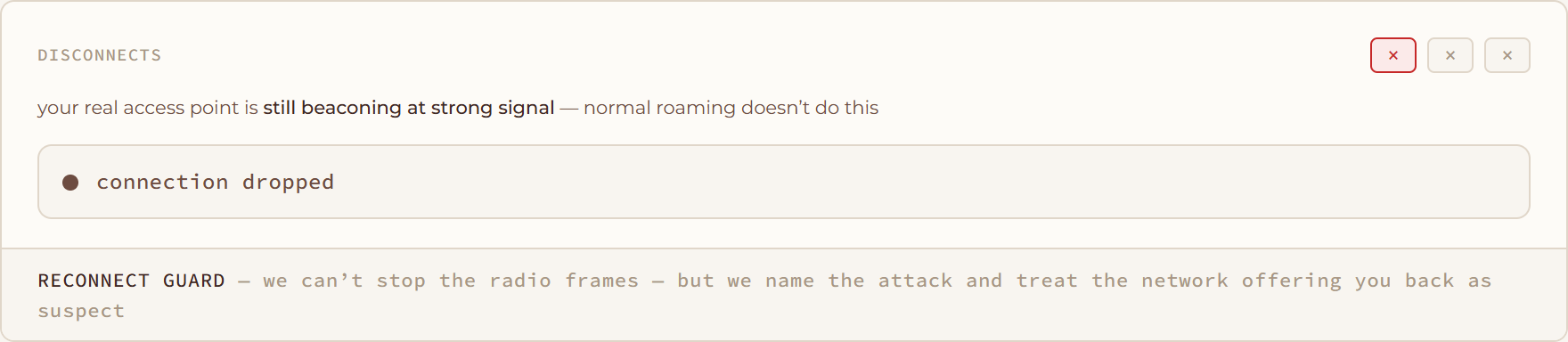
Reconnect Guard diagram: we can’t stop the radio frames — but we name the attack and treat the network offering you back as suspect
Reconnect Guard

we can’t stop the radio frames — but we name the attack and treat the network offering you back as suspect

Deauth flood
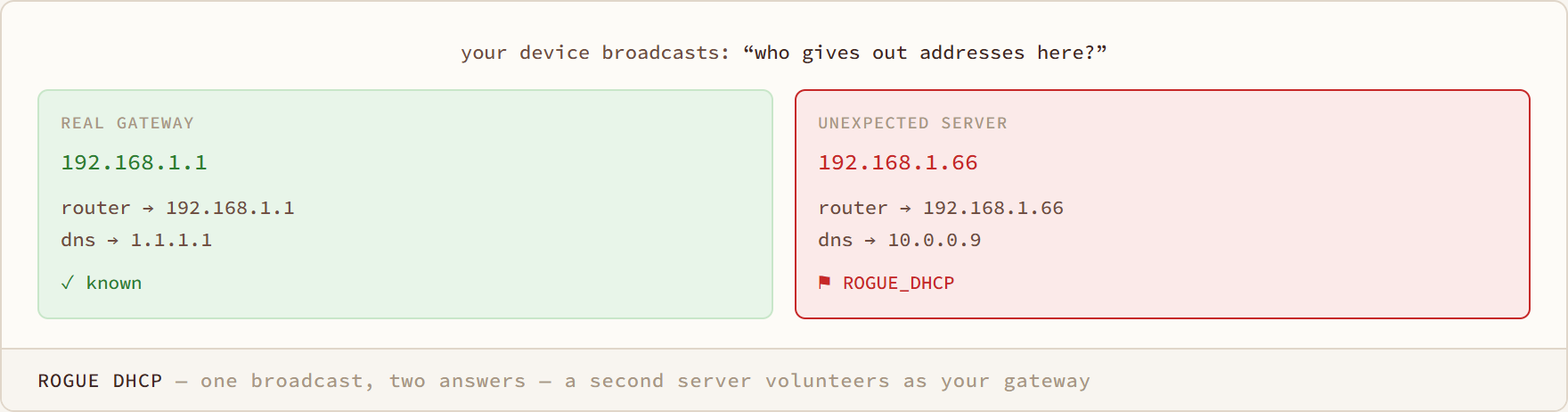
Rogue DHCP diagram: one broadcast, two answers — a second server volunteers as your gateway
Rogue DHCP

one broadcast, two answers — a second server volunteers as your gateway

Rogue dhcp
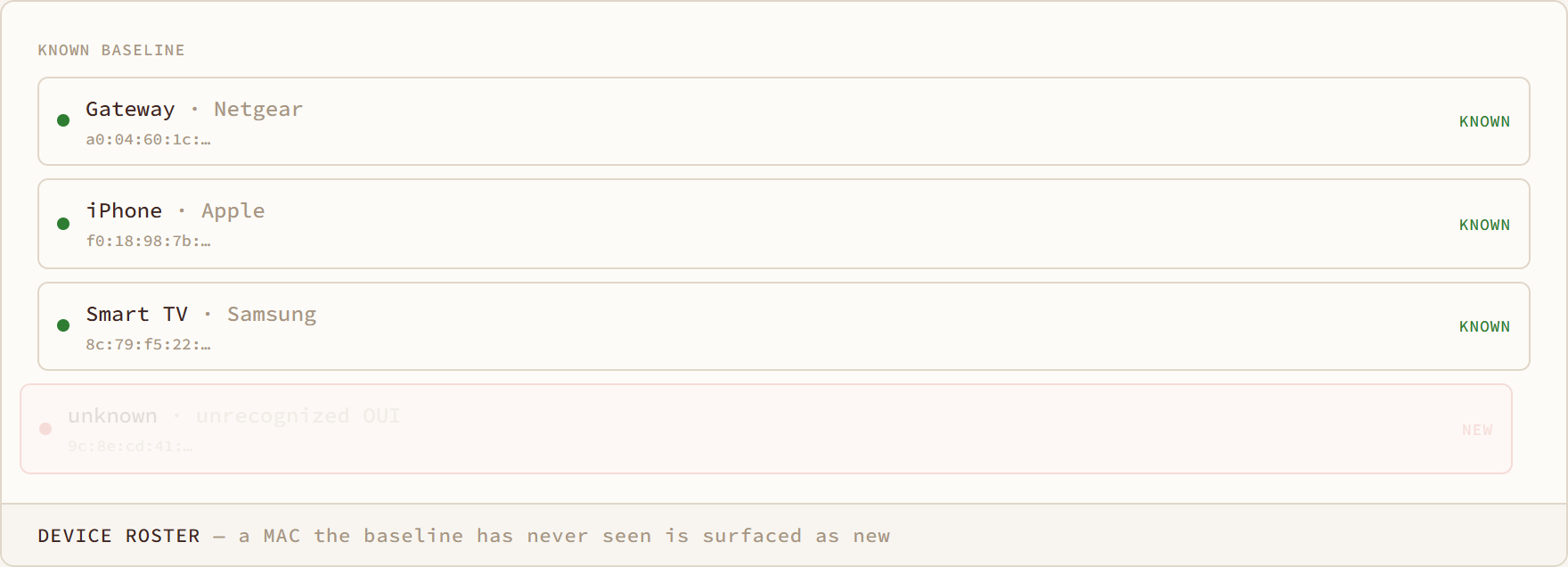
Device Roster diagram: a MAC the baseline has never seen is surfaced as new
Device Roster

a MAC the baseline has never seen is surfaced as new

Rogue device
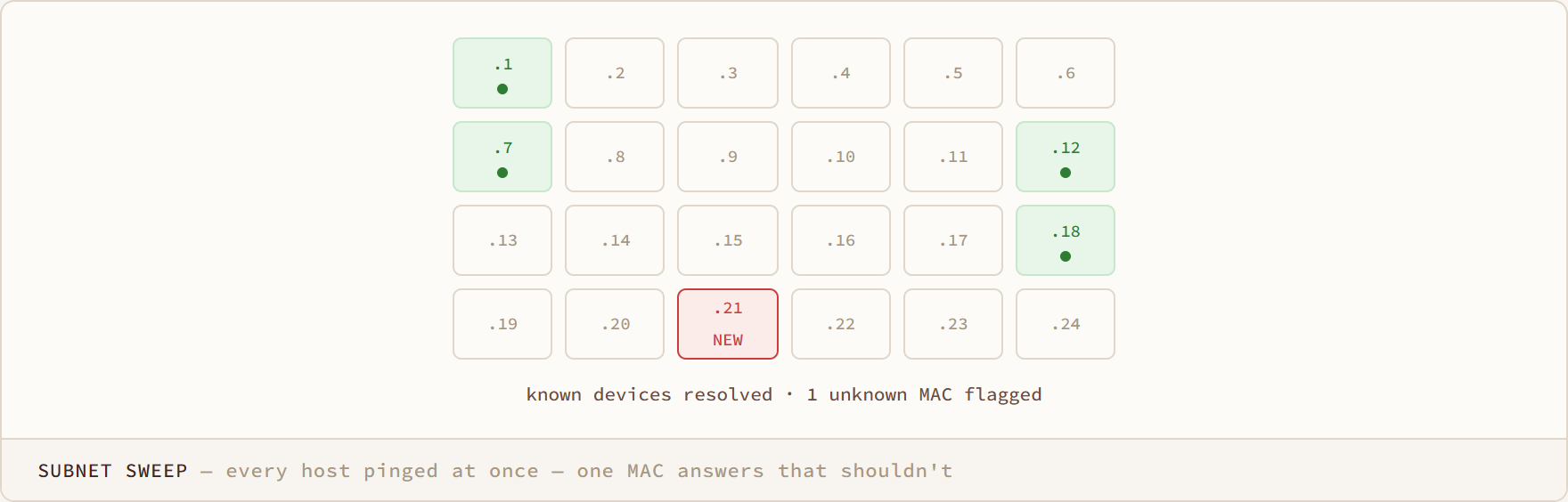
Subnet Sweep diagram: every host pinged at once — one MAC answers that shouldn't
Subnet Sweep

every host pinged at once — one MAC answers that shouldn't

Rogue device
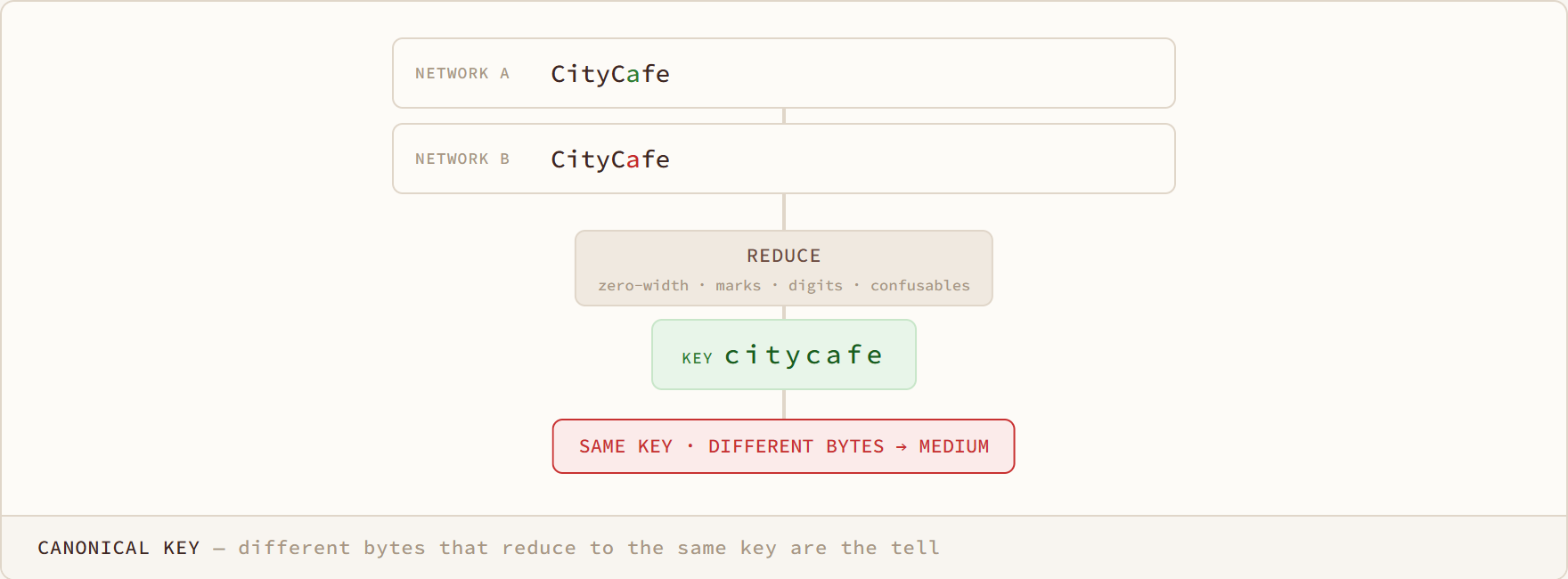
Canonical Key diagram: different bytes that reduce to the same key are the tell
Canonical Key

different bytes that reduce to the same key are the tell

Homoglyph ssid
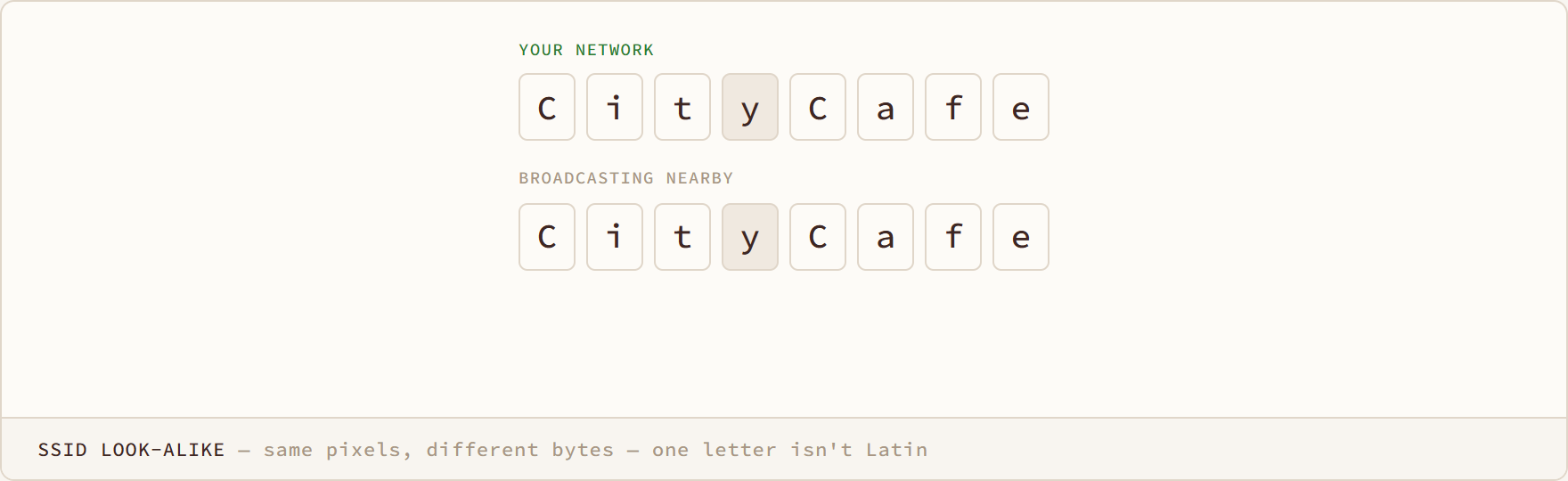
SSID Look-alike diagram: same pixels, different bytes — one letter isn't Latin
SSID Look-alike

same pixels, different bytes — one letter isn't Latin

Homoglyph ssid
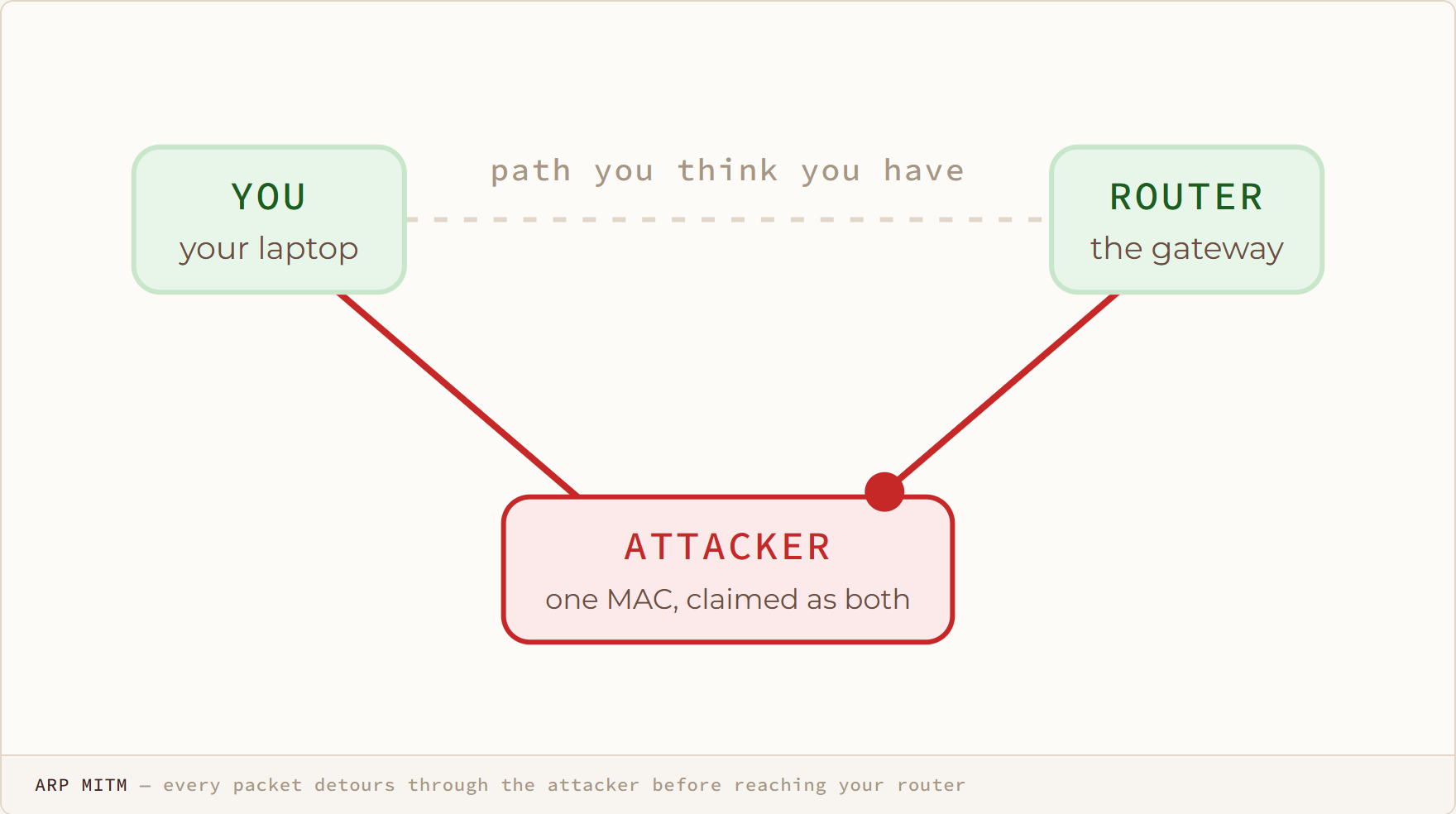
ARP MITM diagram: every packet detours through the attacker before reaching your router
ARP MITM

every packet detours through the attacker before reaching your router

Arp spoofing
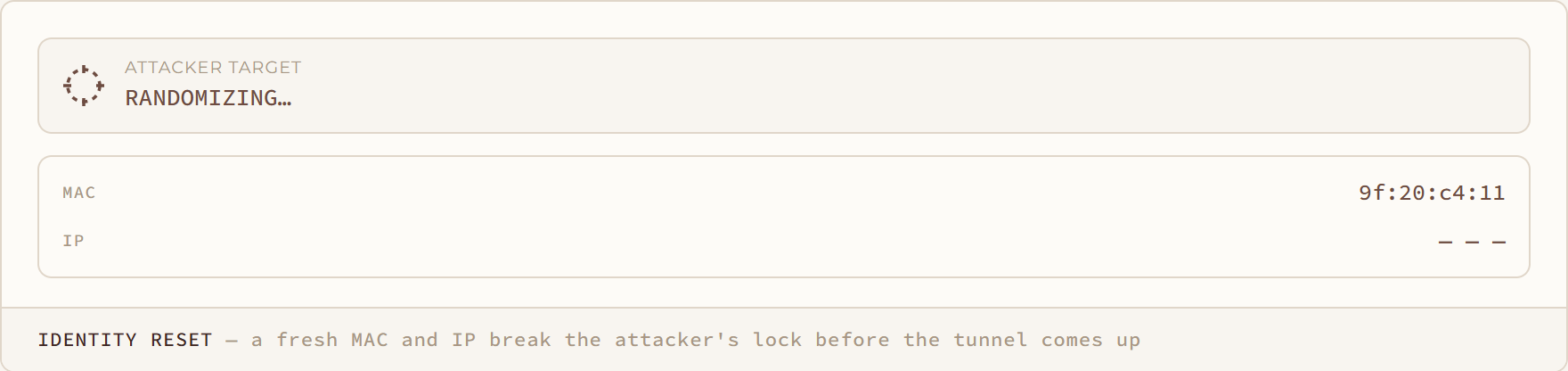
Identity Reset diagram: a fresh MAC and IP break the attacker's lock before the tunnel comes up
Identity Reset

a fresh MAC and IP break the attacker's lock before the tunnel comes up

Man in the middle
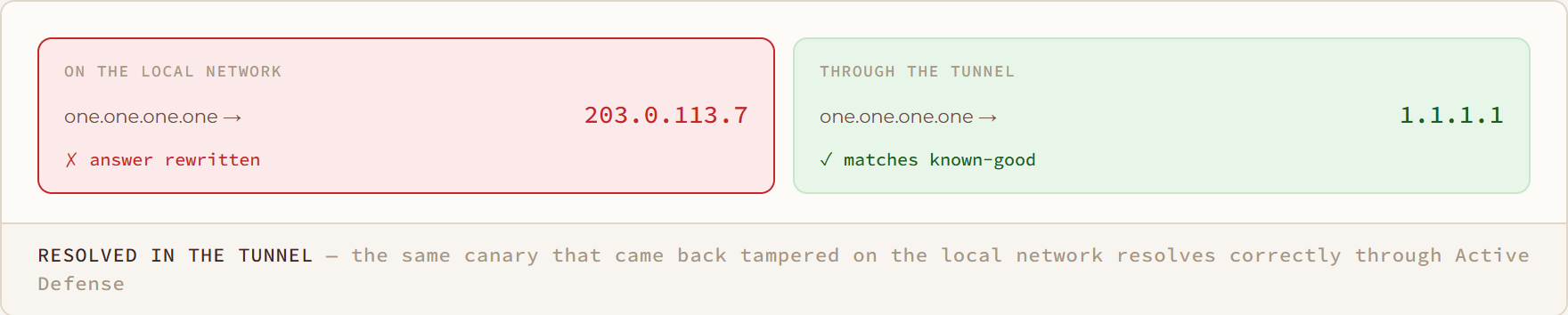
Resolved in the Tunnel diagram: the same canary that came back tampered on the local network resolves correctly through Active Defense
Resolved in the Tunnel

the same canary that came back tampered on the local network resolves correctly through Active Defense

Dns spoofing
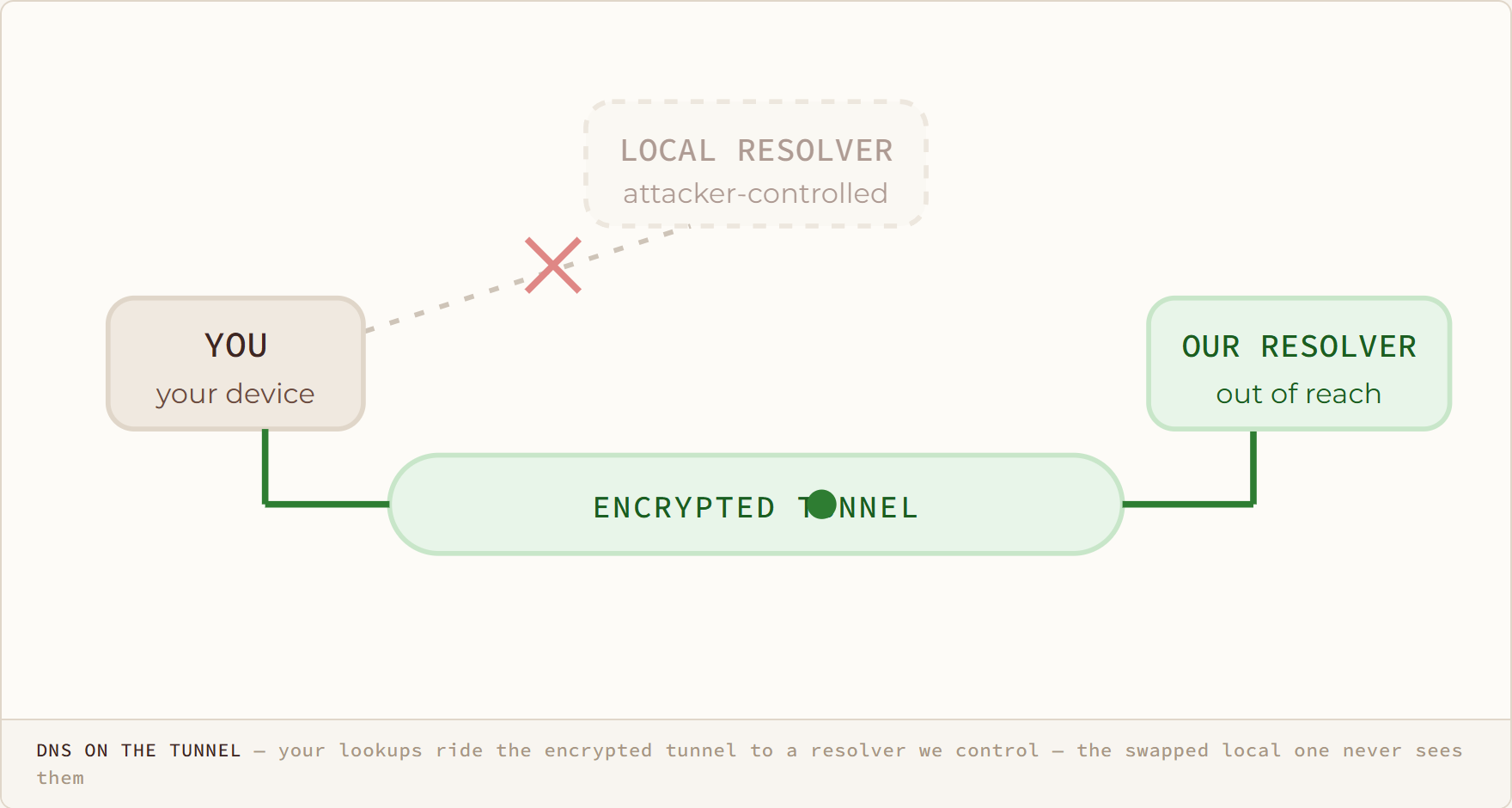
DNS on the Tunnel diagram: your lookups ride the encrypted tunnel to a resolver we control — the swapped local one never sees them
DNS on the Tunnel

your lookups ride the encrypted tunnel to a resolver we control — the swapped local one never sees them

Dns anomaly
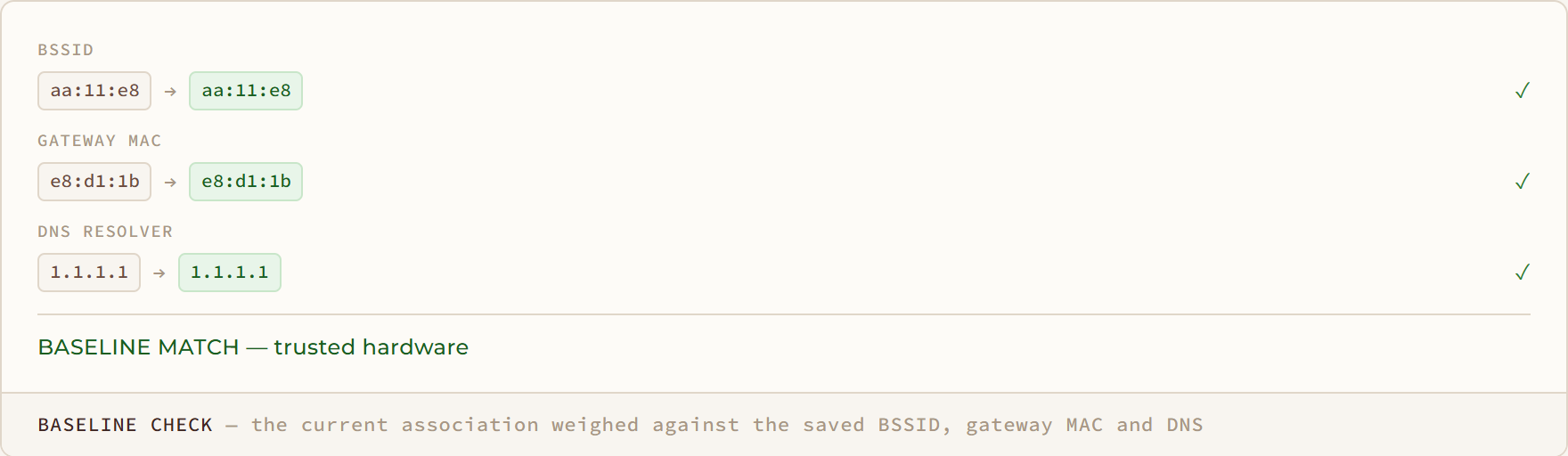
Baseline Check diagram: the current association weighed against the saved BSSID, gateway MAC and DNS

Baseline Check

the current association weighed against the saved BSSID, gateway MAC and DNS

Evil twin
/ DETECTION GUIDES

Detection guides16

Your Baseline + 1 diagram: four devices you authorized — and one you didn't
Your Baseline + 1

four devices you authorized — and one you didn't

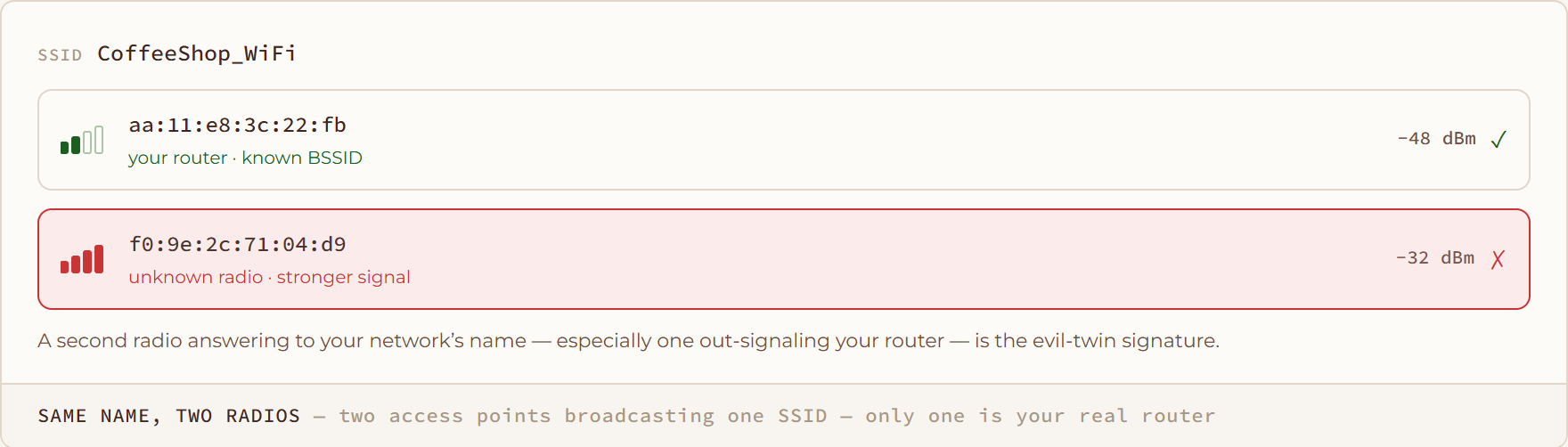
Same Name, Two Radios diagram: two access points broadcasting one SSID — only one is your real router

Same Name, Two Radios

two access points broadcasting one SSID — only one is your real router

The Real Goal diagram: denial of service is rarely the point — it’s the setup for the twin
The Real Goal

denial of service is rarely the point — it’s the setup for the twin

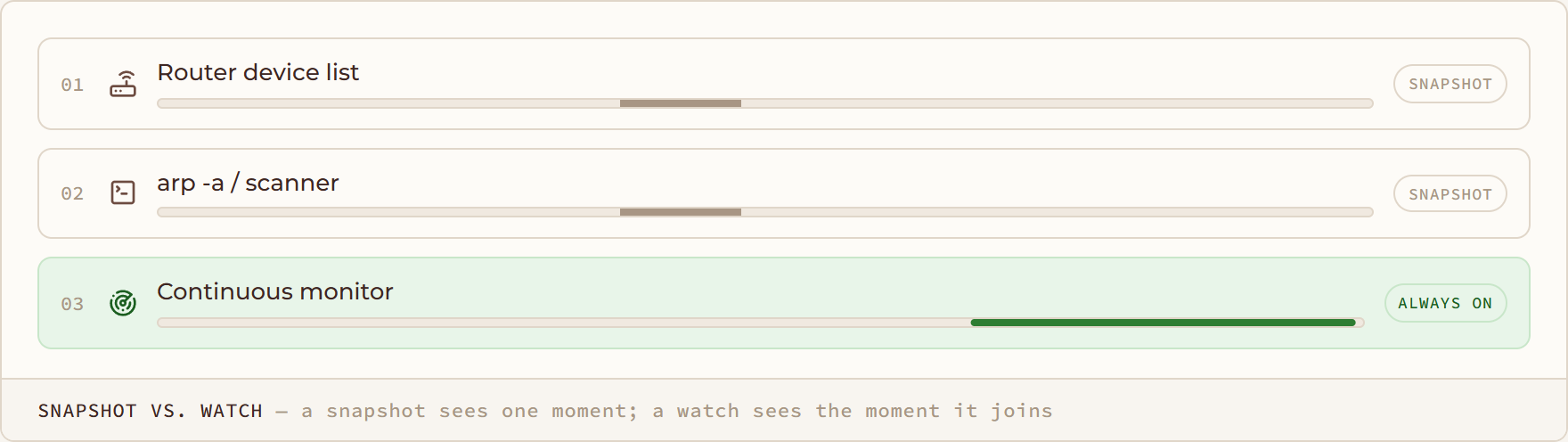
Snapshot vs. Watch diagram: a snapshot sees one moment; a watch sees the moment it joins
Snapshot vs. Watch

a snapshot sees one moment; a watch sees the moment it joins

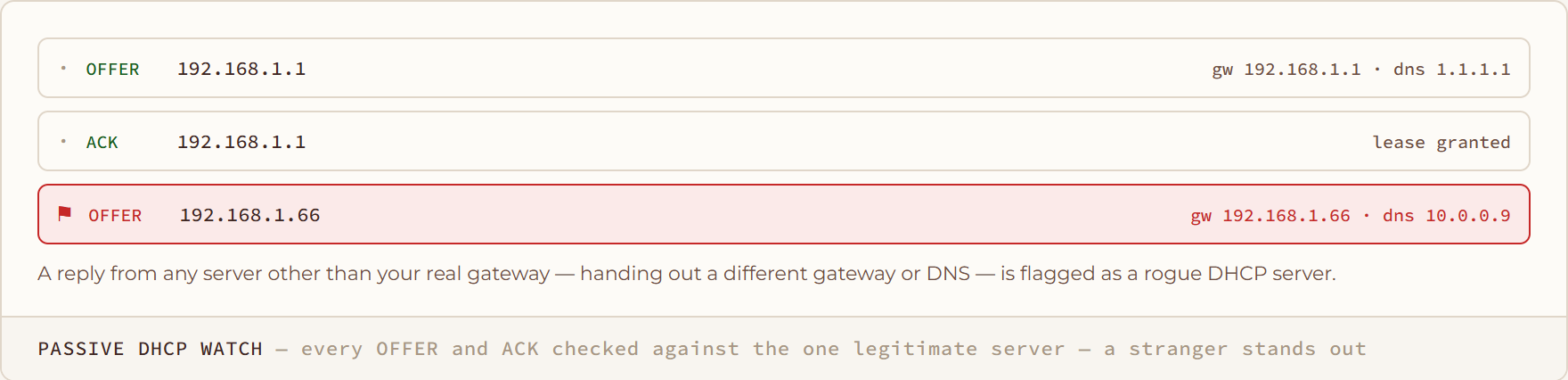
Passive DHCP Watch diagram: every OFFER and ACK checked against the one legitimate server — a stranger stands out

Passive DHCP Watch

every OFFER and ACK checked against the one legitimate server — a stranger stands out
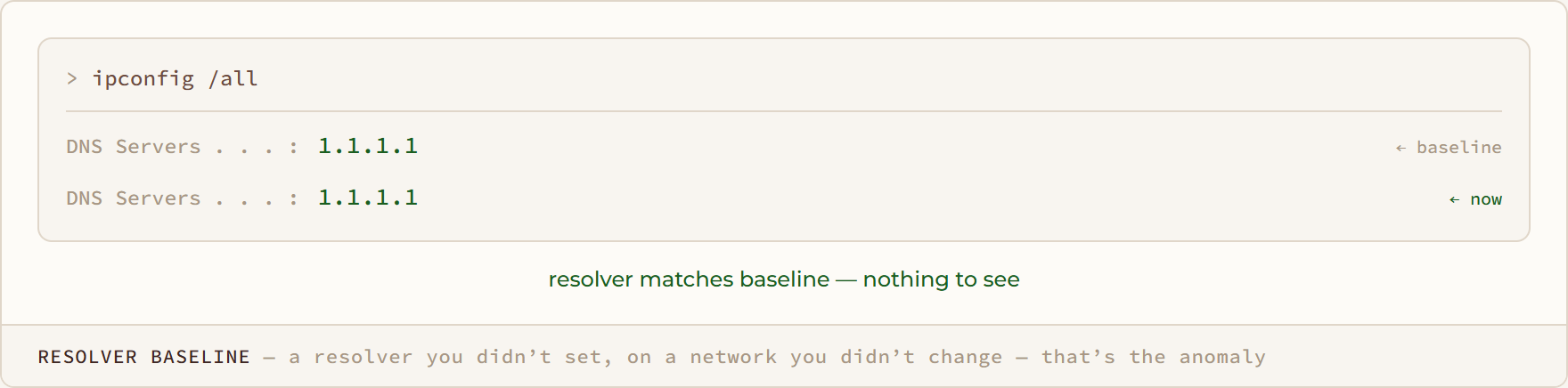
Resolver Baseline diagram: a resolver you didn’t set, on a network you didn’t change — that’s the anomaly
Resolver Baseline

a resolver you didn’t set, on a network you didn’t change — that’s the anomaly

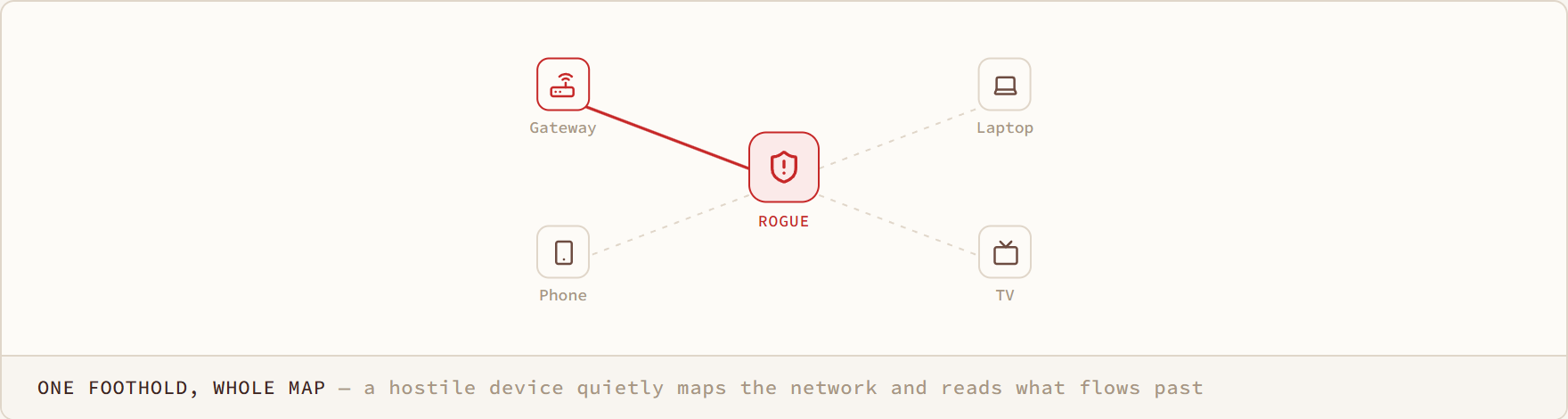
One Foothold, Whole Map diagram: a hostile device quietly maps the network and reads what flows past
One Foothold, Whole Map

a hostile device quietly maps the network and reads what flows past

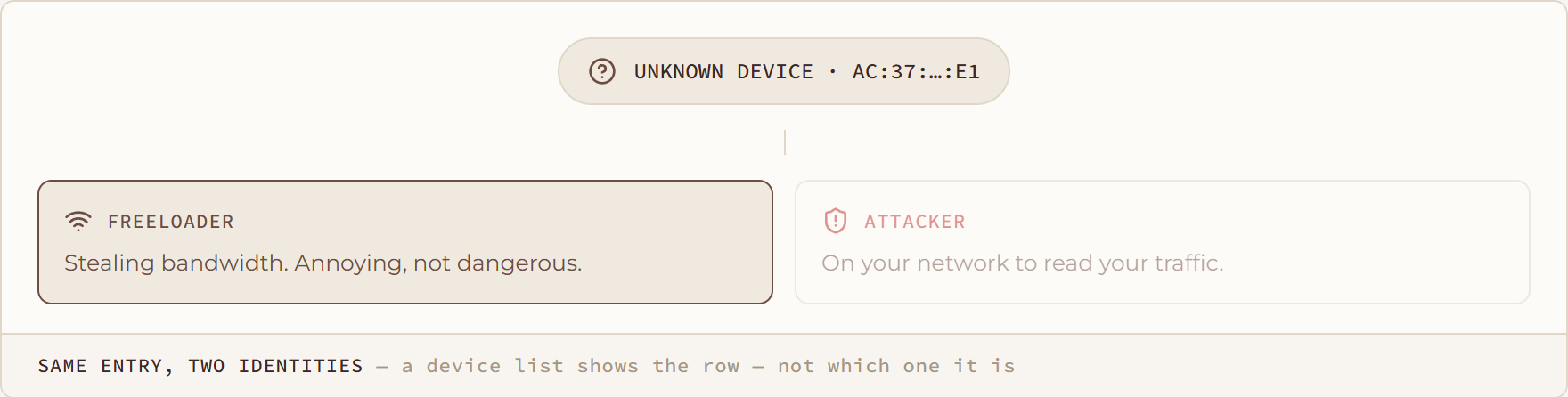
Same Entry, Two Identities diagram: a device list shows the row — not which one it is
Same Entry, Two Identities

a device list shows the row — not which one it is

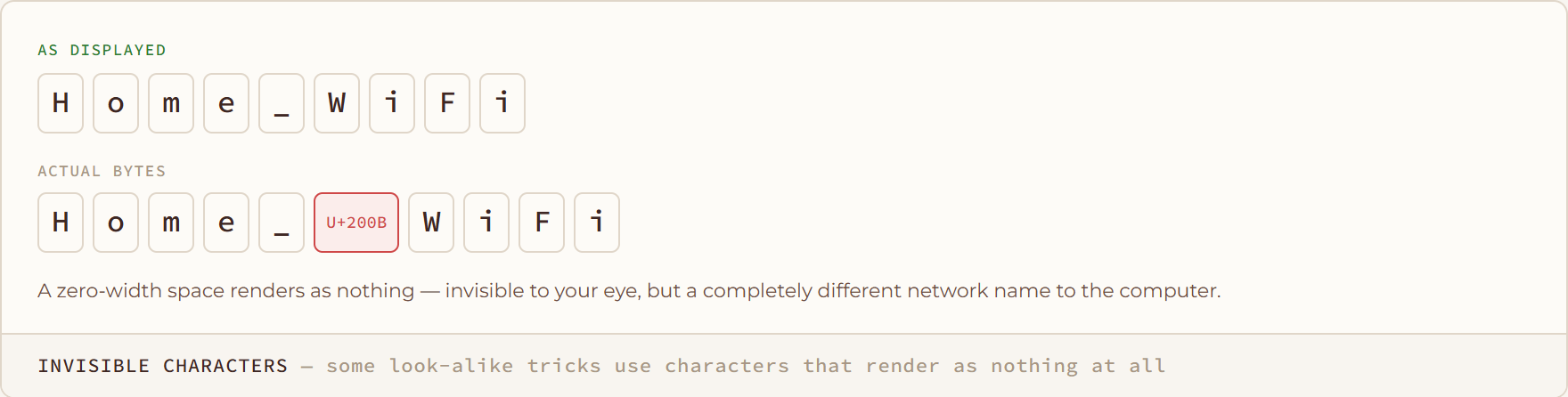
Invisible Characters diagram: some look-alike tricks use characters that render as nothing at all
Invisible Characters

some look-alike tricks use characters that render as nothing at all

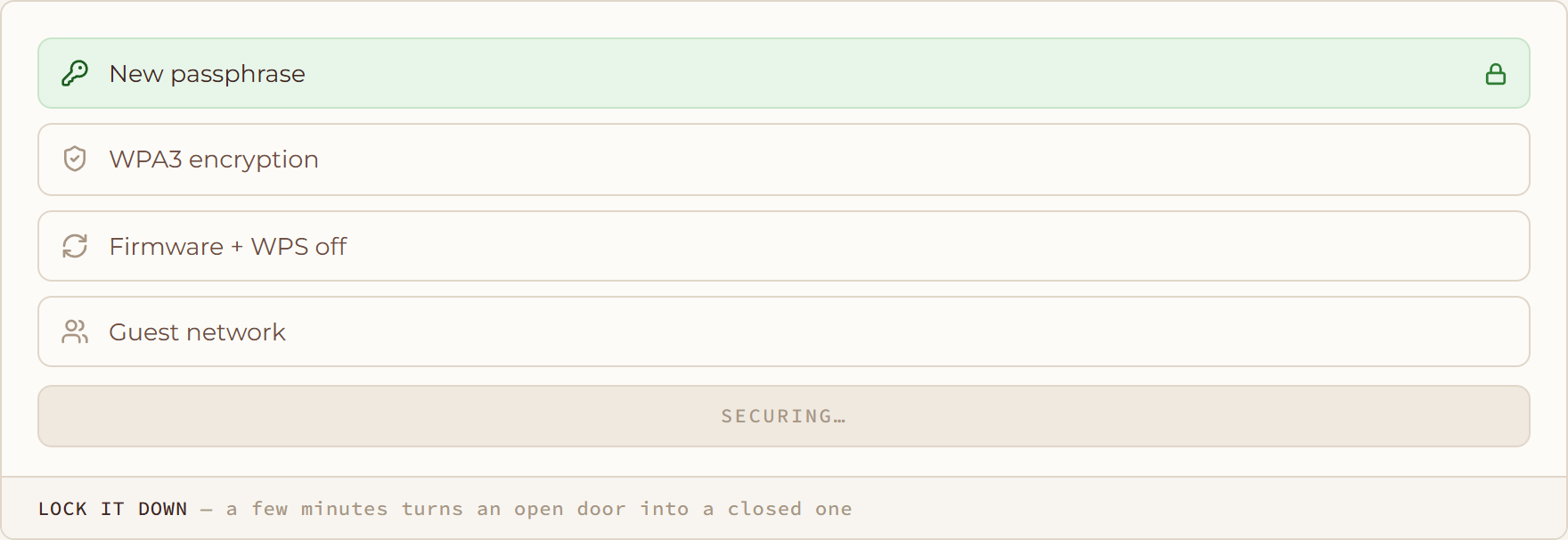
Lock It Down diagram: a few minutes turns an open door into a closed one
Lock It Down

a few minutes turns an open door into a closed one

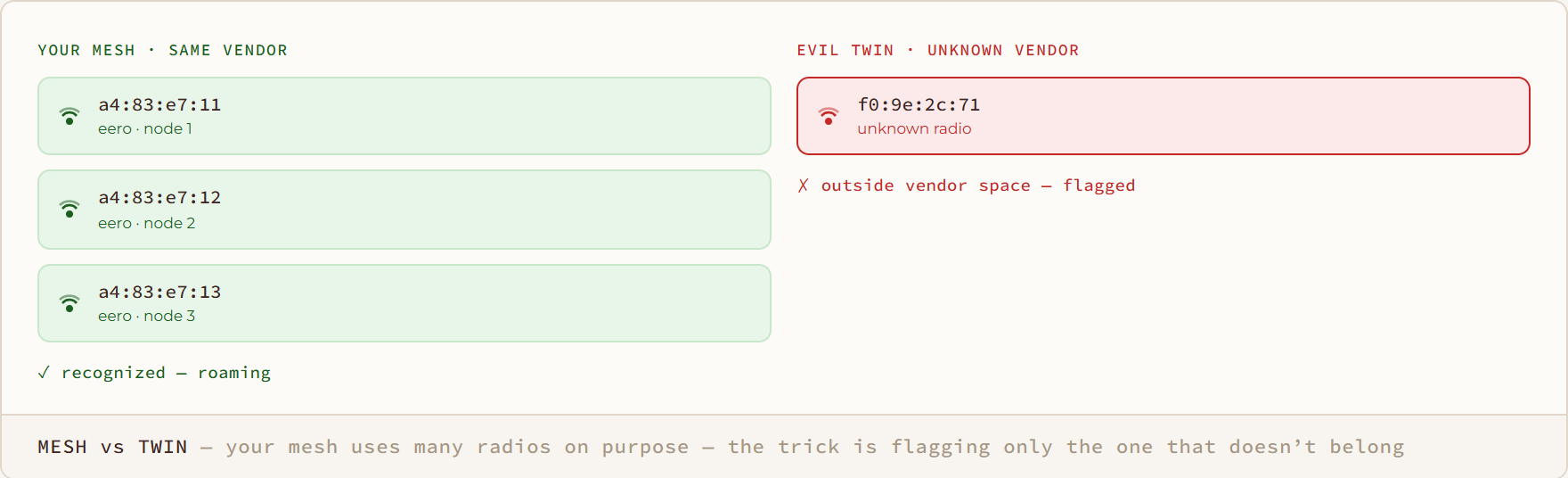
Mesh vs Twin diagram: your mesh uses many radios on purpose — the trick is flagging only the one that doesn’t belong

Mesh vs Twin

your mesh uses many radios on purpose — the trick is flagging only the one that doesn’t belong
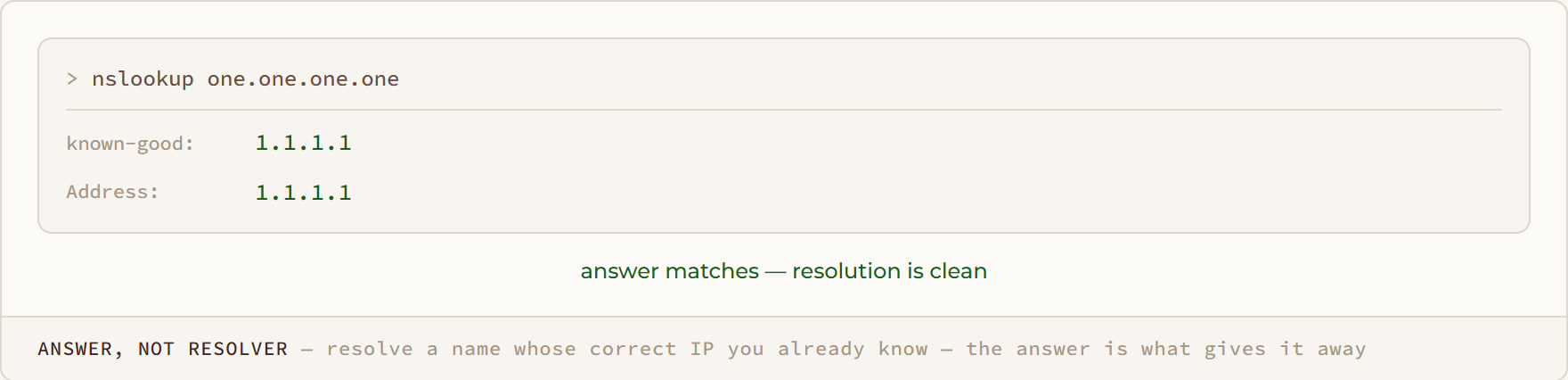
Answer, Not Resolver diagram: resolve a name whose correct IP you already know — the answer is what gives it away

Answer, Not Resolver

resolve a name whose correct IP you already know — the answer is what gives it away
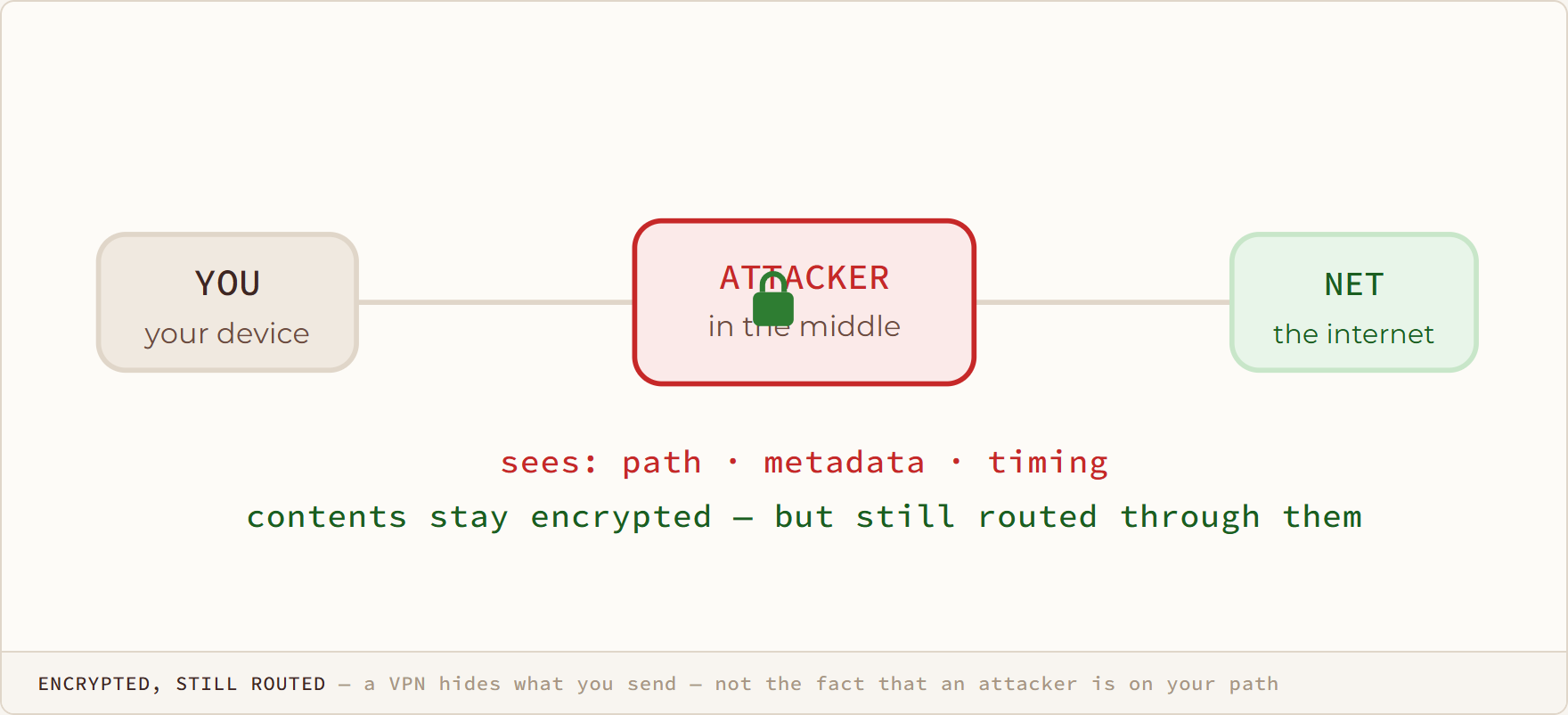
Encrypted, Still Routed diagram: a VPN hides what you send — not the fact that an attacker is on your path

Encrypted, Still Routed

a VPN hides what you send — not the fact that an attacker is on your path
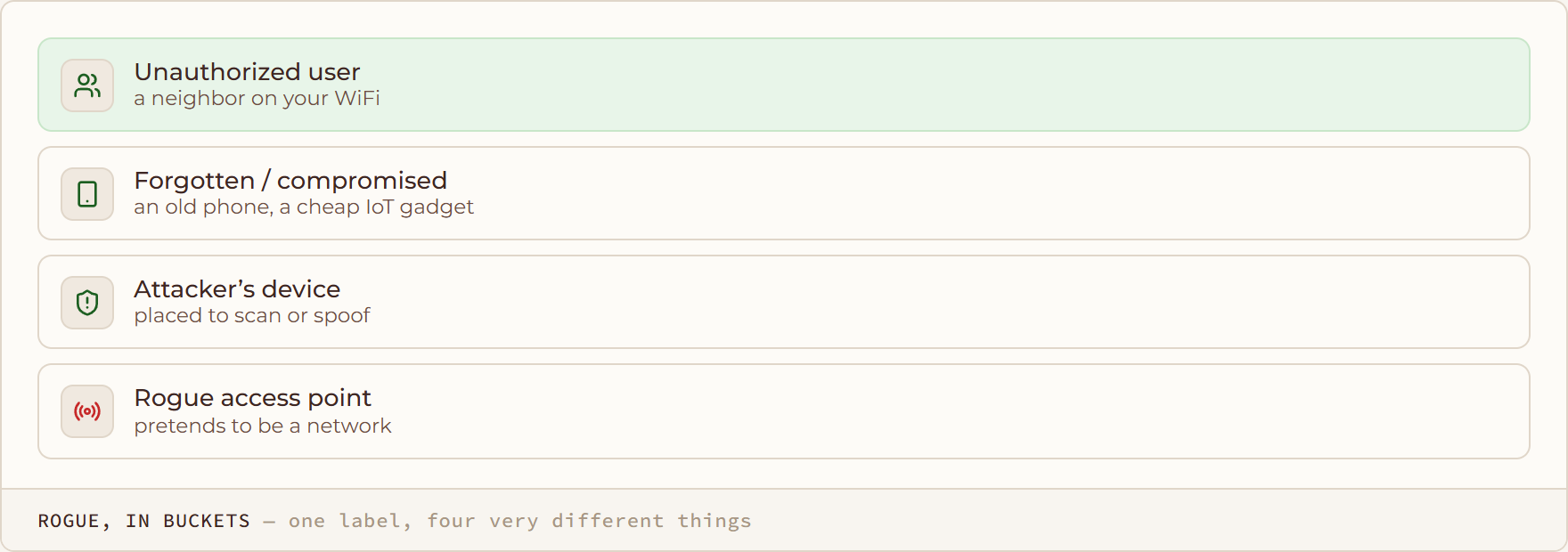
Rogue, in Buckets diagram: one label, four very different things

Rogue, in Buckets

one label, four very different things
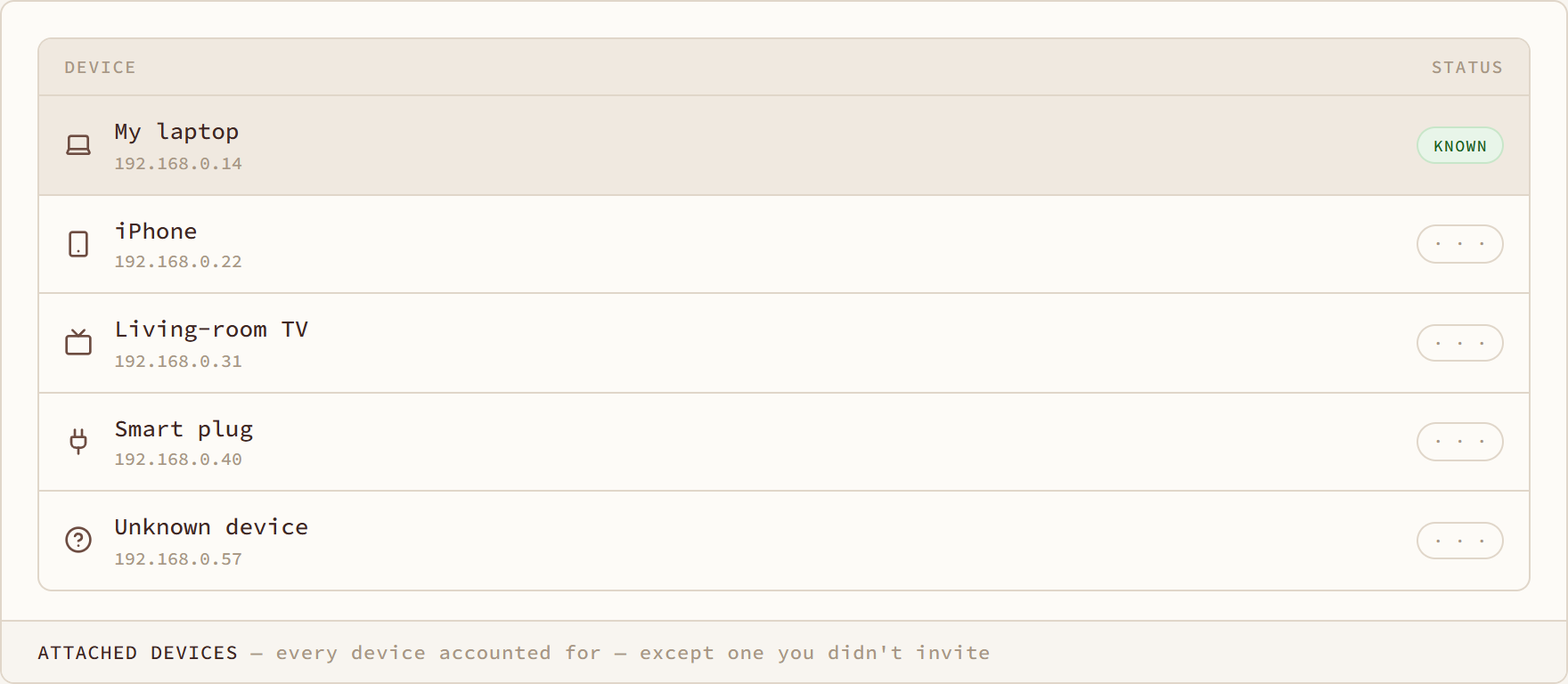
Attached Devices diagram: every device accounted for — except one you didn't invite
Attached Devices

every device accounted for — except one you didn't invite

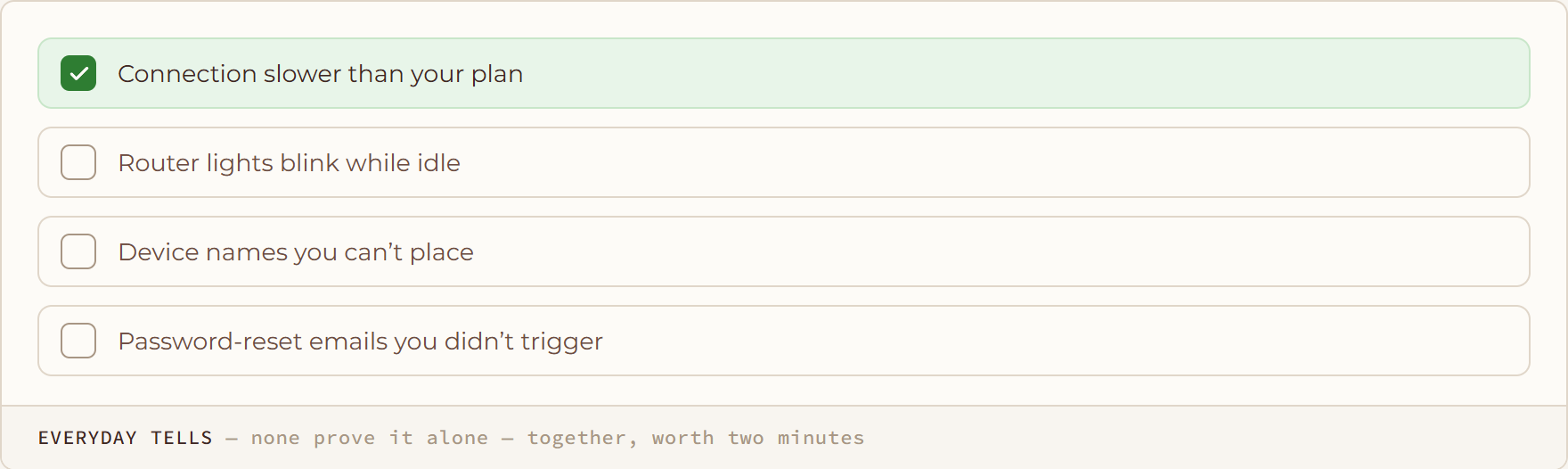
Everyday Tells diagram: none prove it alone — together, worth two minutes

Everyday Tells

none prove it alone — together, worth two minutes

/ HOW IT WORKS

How it works5

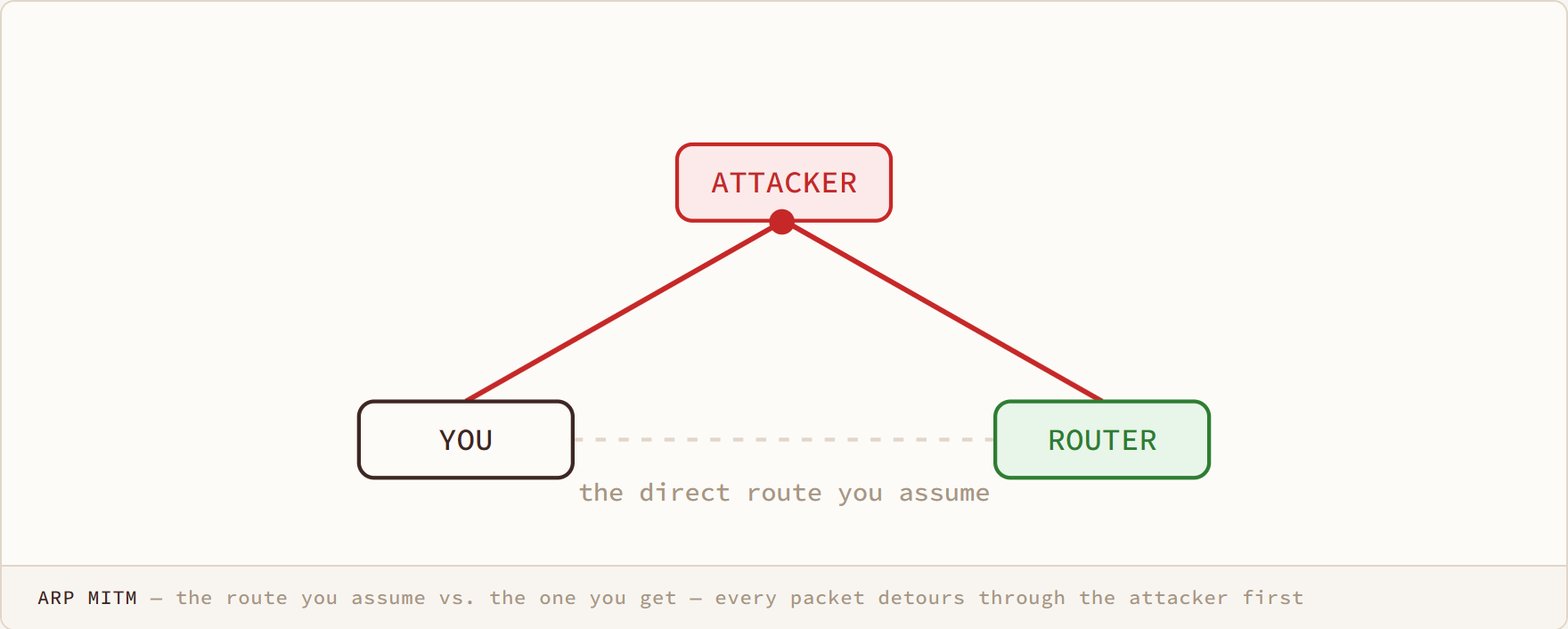
ARP MITM diagram: the route you assume vs. the one you get — every packet detours through the attacker first

ARP MITM

the route you assume vs. the one you get — every packet detours through the attacker first
How it works
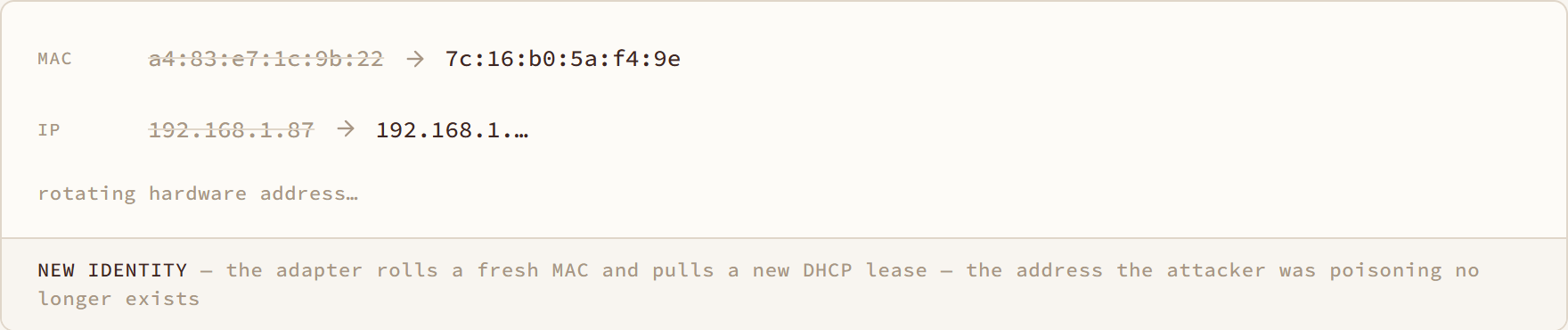
New Identity diagram: the adapter rolls a fresh MAC and pulls a new DHCP lease — the address the attacker was poisoning no longer exists
New Identity

the adapter rolls a fresh MAC and pulls a new DHCP lease — the address the attacker was poisoning no longer exists

How it works
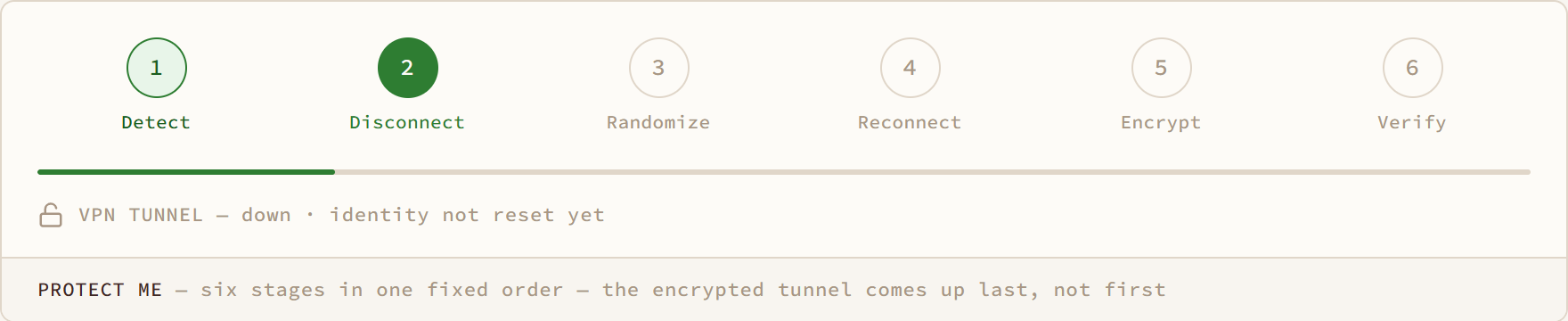
Protect Me diagram: six stages in one fixed order — the encrypted tunnel comes up last, not first

Protect Me

six stages in one fixed order — the encrypted tunnel comes up last, not first

How it works
Retry diagram: a new identity every attempt — up to five — until one beats the re-poison
Retry

a new identity every attempt — up to five — until one beats the re-poison

How it works
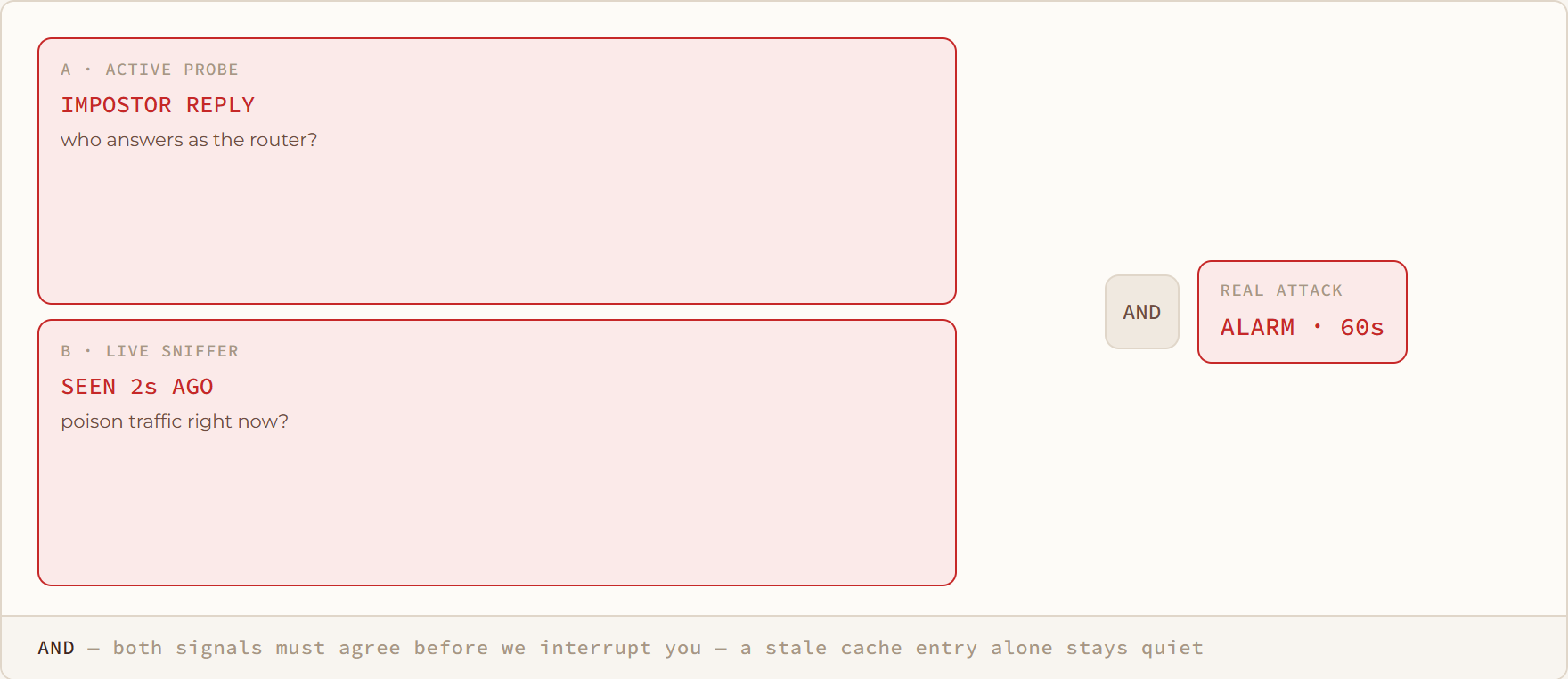
And diagram: both signals must agree before we interrupt you — a stale cache entry alone stays quiet

And

both signals must agree before we interrupt you — a stale cache entry alone stays quiet

How it works
/ SHARED INTELLIGENCE

Shared intelligence14

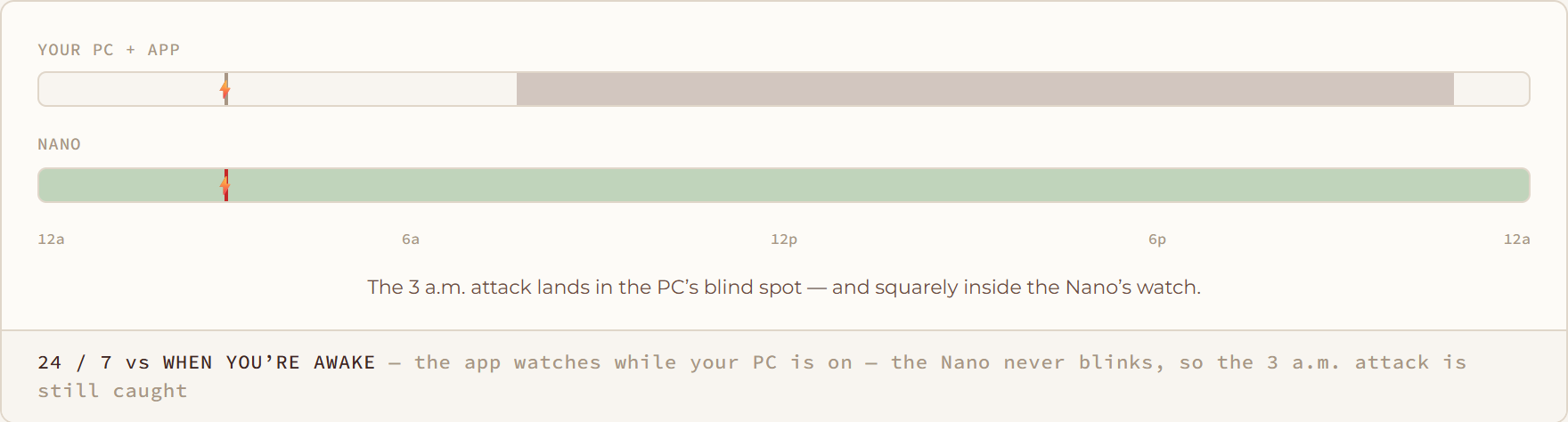
24 / 7 vs When You’re Awake diagram: the app watches while your PC is on — the Nano never blinks, so the 3 a.m. attack is still caught

24 / 7 vs When You’re Awake

the app watches while your PC is on — the Nano never blinks, so the 3 a.m. attack is still caught
Nano
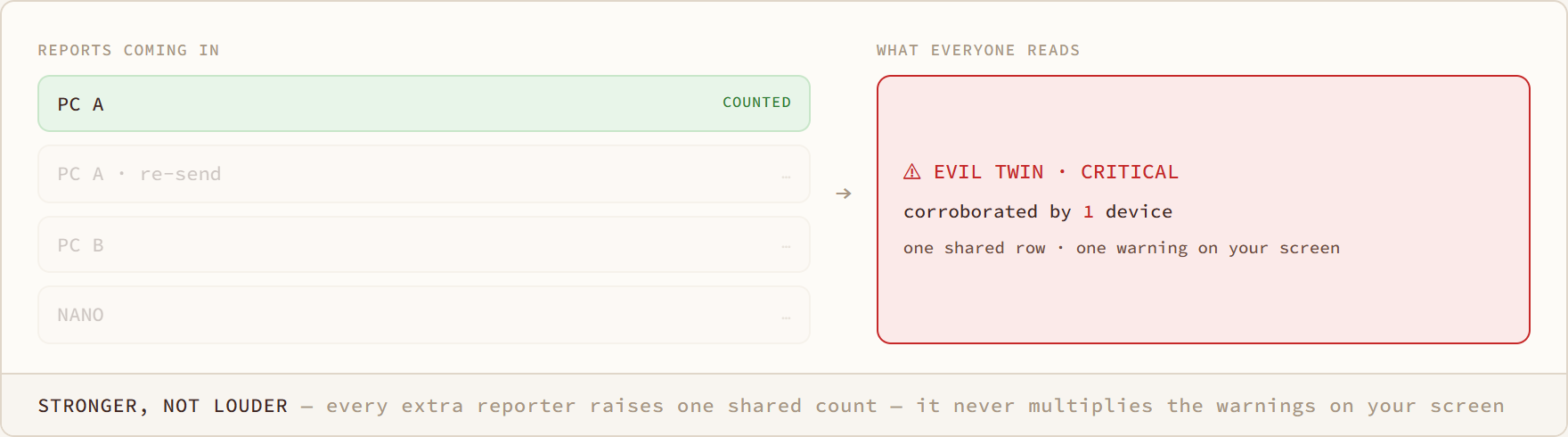
Stronger, Not Louder diagram: every extra reporter raises one shared count — it never multiplies the warnings on your screen

Stronger, Not Louder

every extra reporter raises one shared count — it never multiplies the warnings on your screen
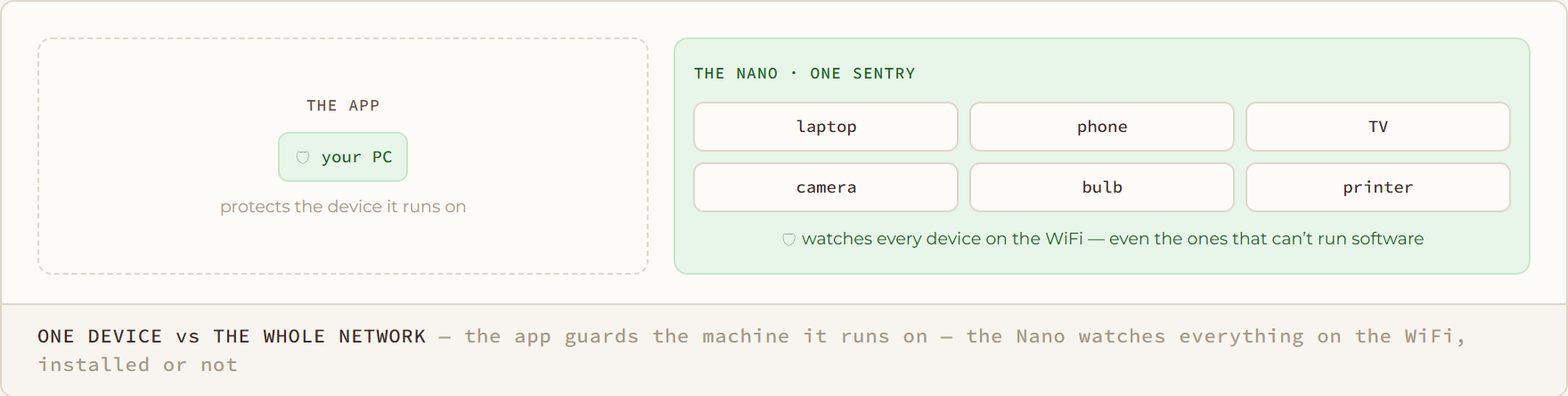
One Device vs the Whole Network diagram: the app guards the machine it runs on — the Nano watches everything on the WiFi, installed or not

One Device vs the Whole Network

the app guards the machine it runs on — the Nano watches everything on the WiFi, installed or not
Nano
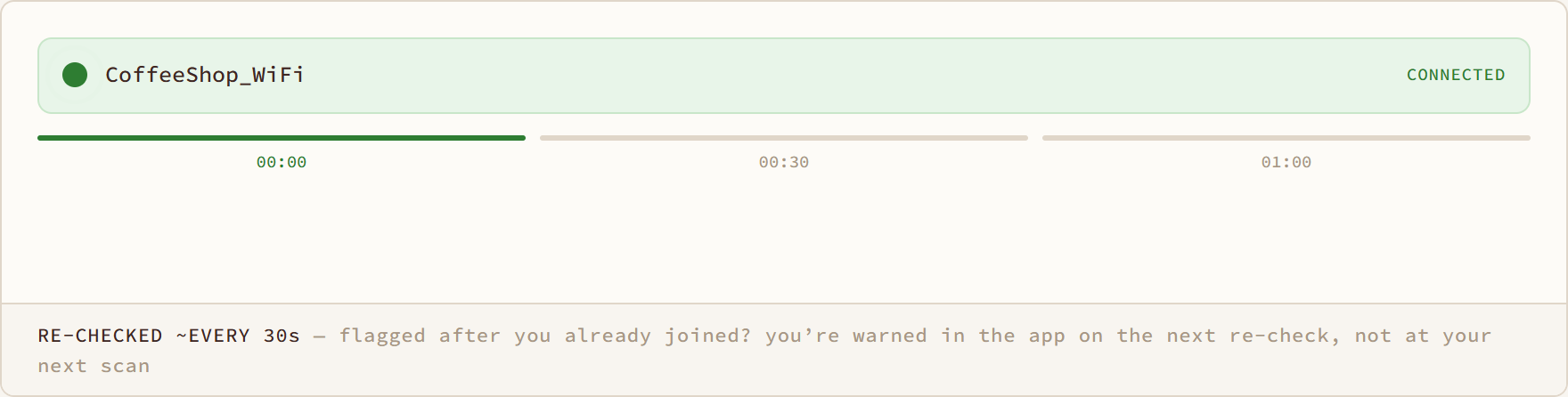
Re-checked ~Every 30s diagram: flagged after you already joined? you’re warned in the app on the next re-check, not at your next scan
Re-checked ~Every 30s

flagged after you already joined? you’re warned in the app on the next re-check, not at your next scan

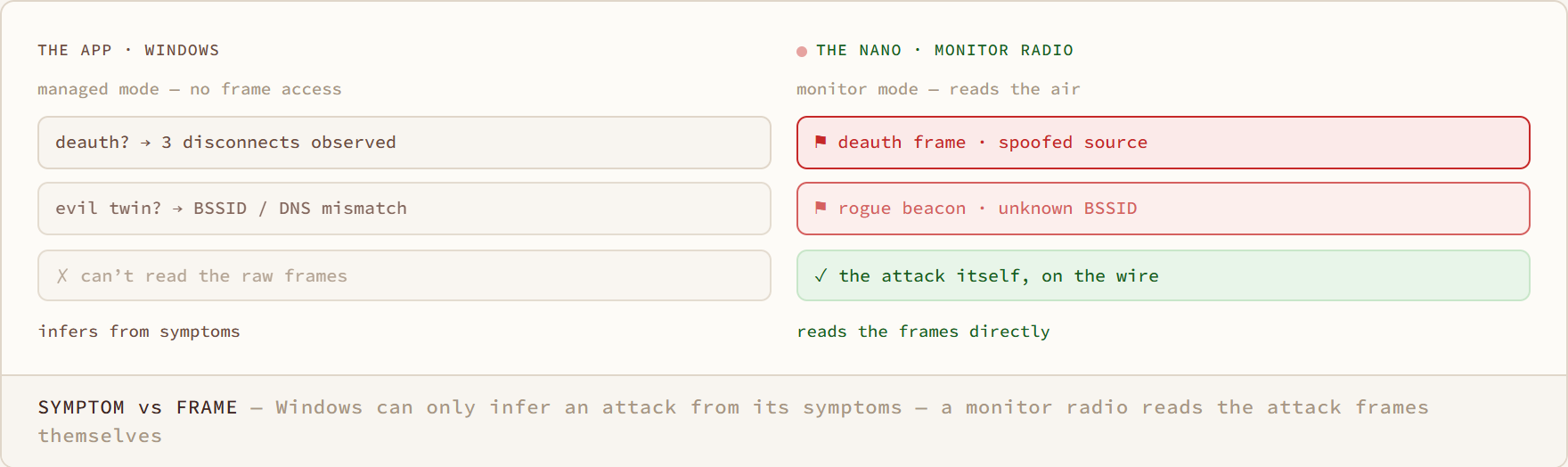
Symptom vs Frame diagram: Windows can only infer an attack from its symptoms — a monitor radio reads the attack frames themselves
Symptom vs Frame

Windows can only infer an attack from its symptoms — a monitor radio reads the attack frames themselves

Nano
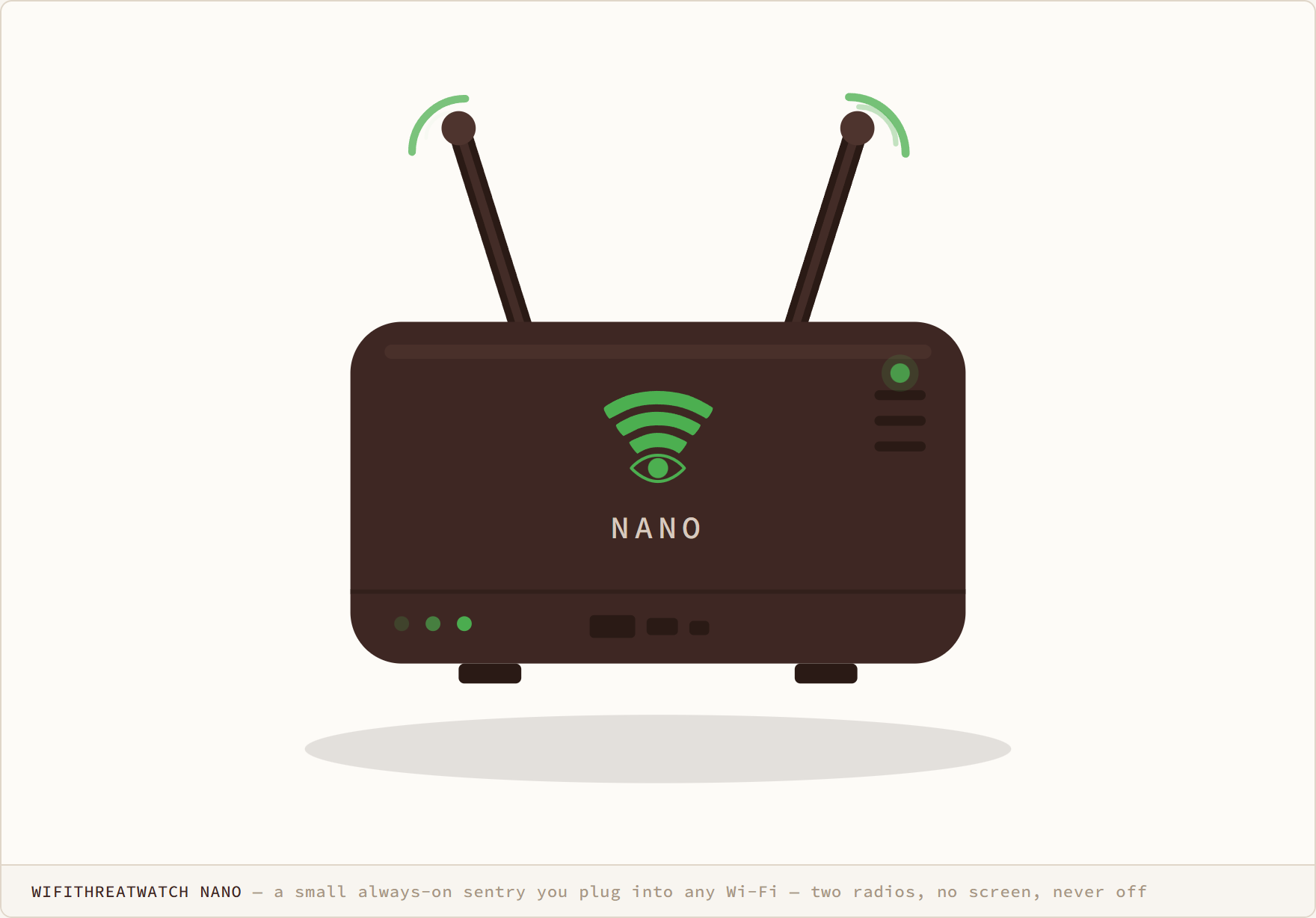
WifiThreatWatch Nano diagram: a small always-on sentry you plug into any Wi-Fi — two radios, no screen, never off

WifiThreatWatch Nano

a small always-on sentry you plug into any Wi-Fi — two radios, no screen, never off
Nano
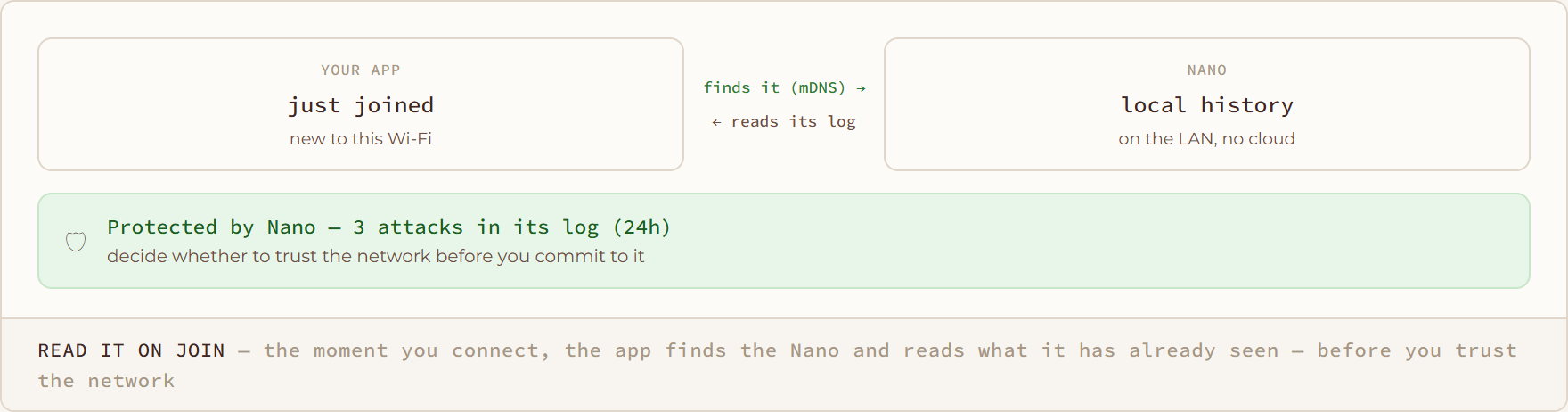
Read It on Join diagram: the moment you connect, the app finds the Nano and reads what it has already seen — before you trust the network
Read It on Join

the moment you connect, the app finds the Nano and reads what it has already seen — before you trust the network

Nano
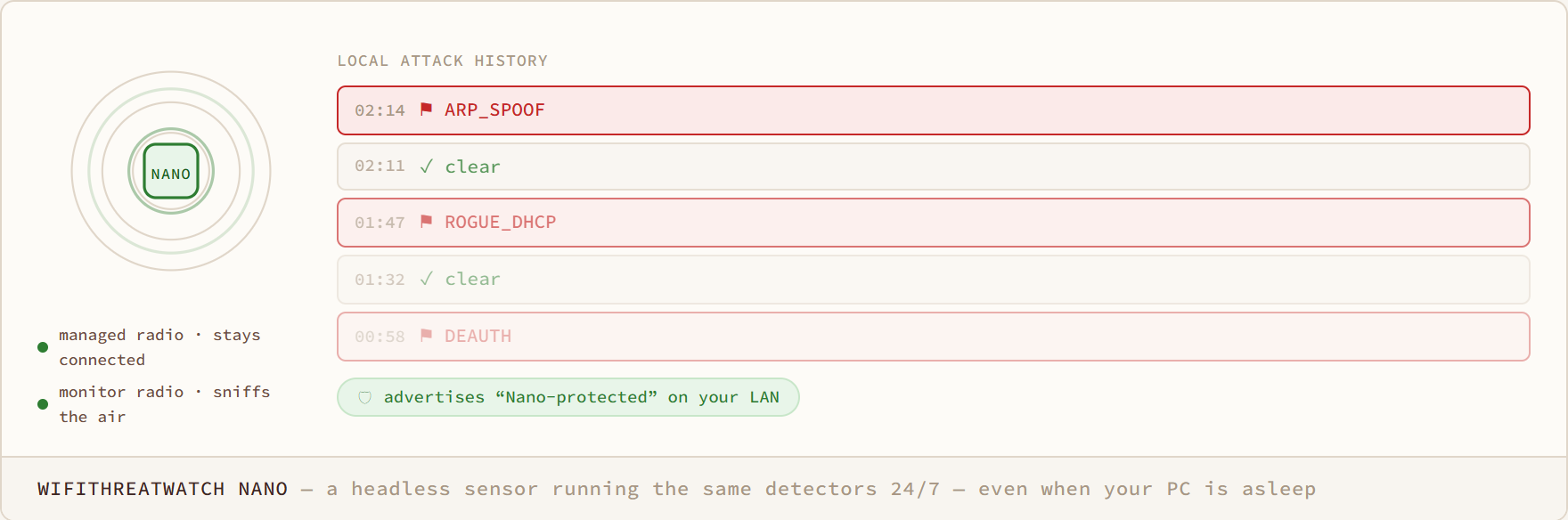
WifiThreatWatch Nano diagram: a headless sensor running the same detectors 24/7 — even when your PC is asleep

WifiThreatWatch Nano

a headless sensor running the same detectors 24/7 — even when your PC is asleep
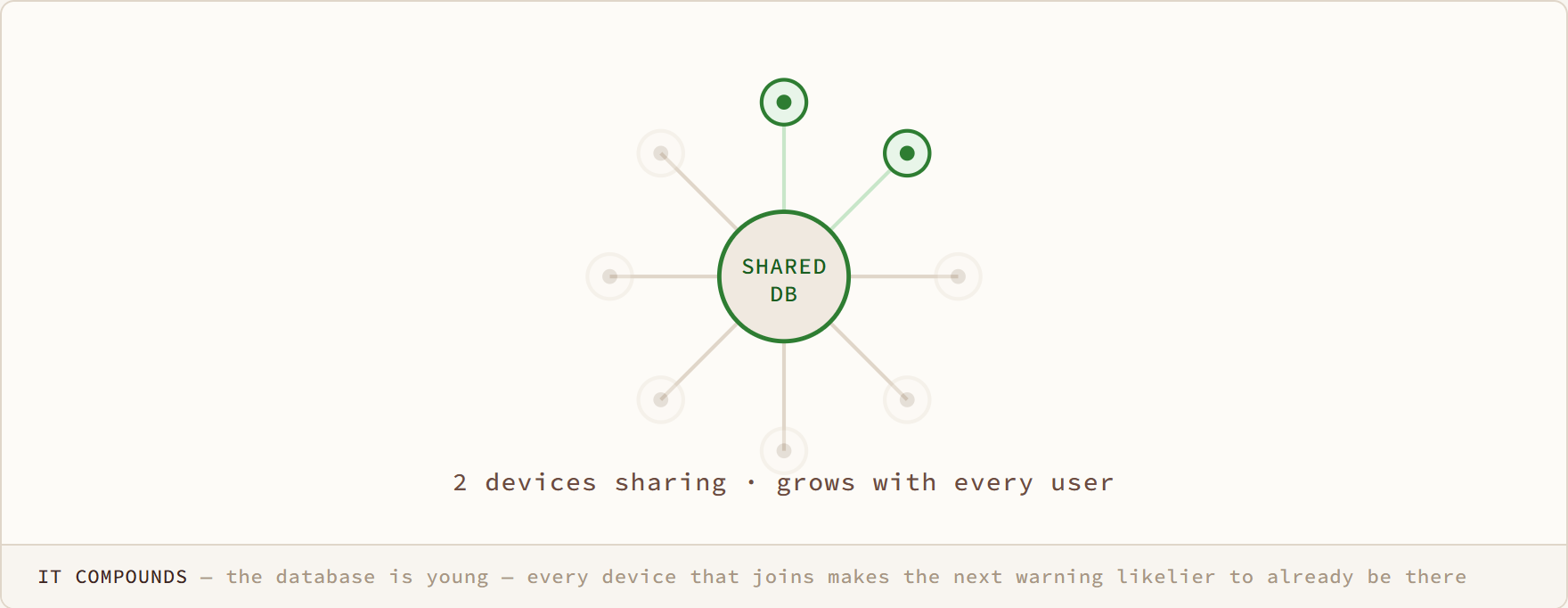
It Compounds diagram: the database is young — every device that joins makes the next warning likelier to already be there
It Compounds

the database is young — every device that joins makes the next warning likelier to already be there

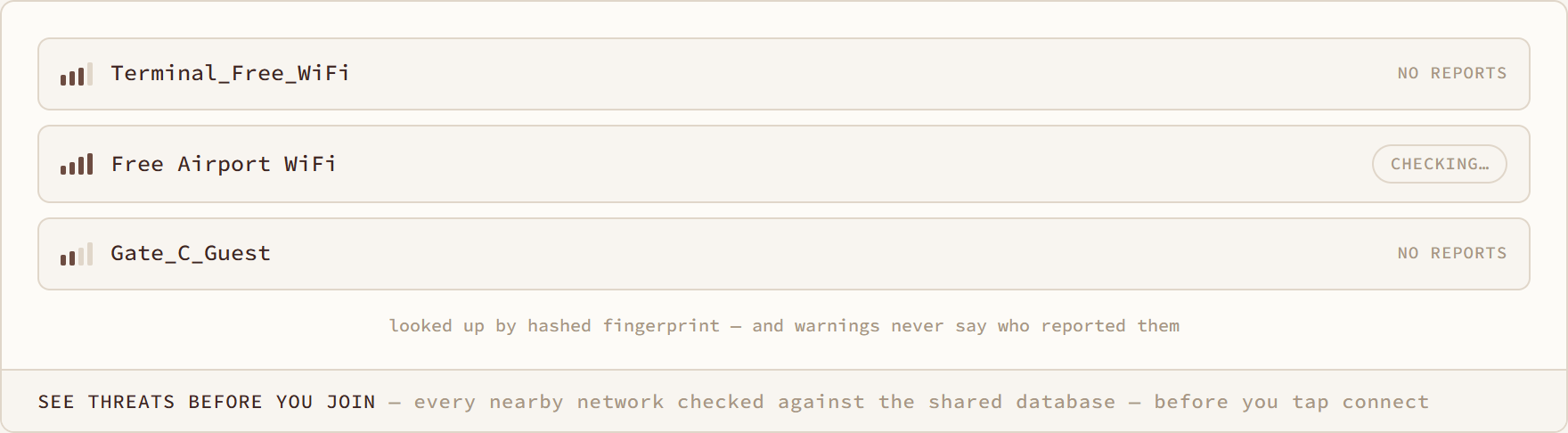
See Threats Before You Join diagram: every nearby network checked against the shared database — before you tap connect

See Threats Before You Join

every nearby network checked against the shared database — before you tap connect
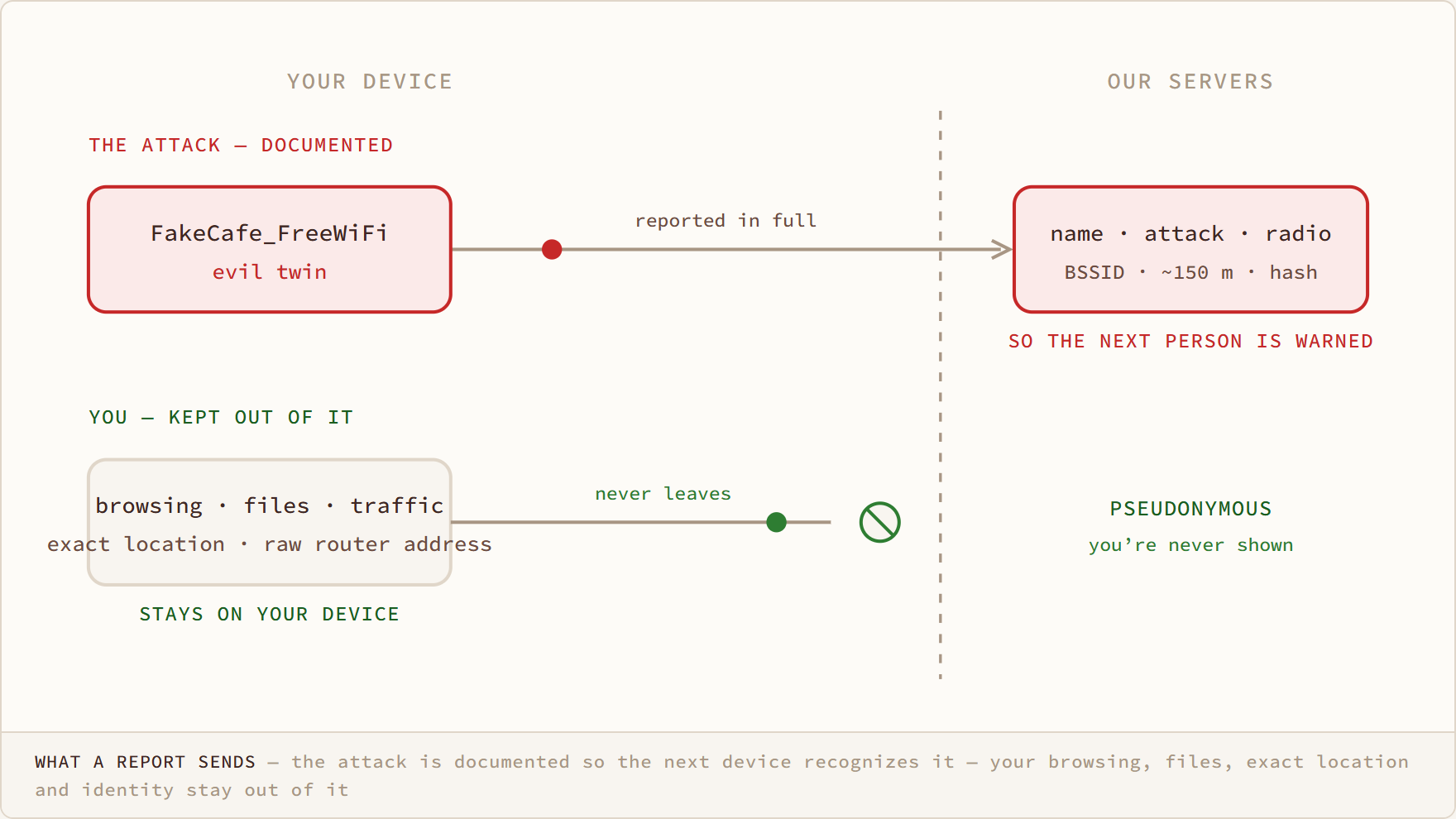
What a Report Sends diagram: the attack is documented so the next device recognizes it — your browsing, files, exact location and identity stay out of it
What a Report Sends

the attack is documented so the next device recognizes it — your browsing, files, exact location and identity stay out of it

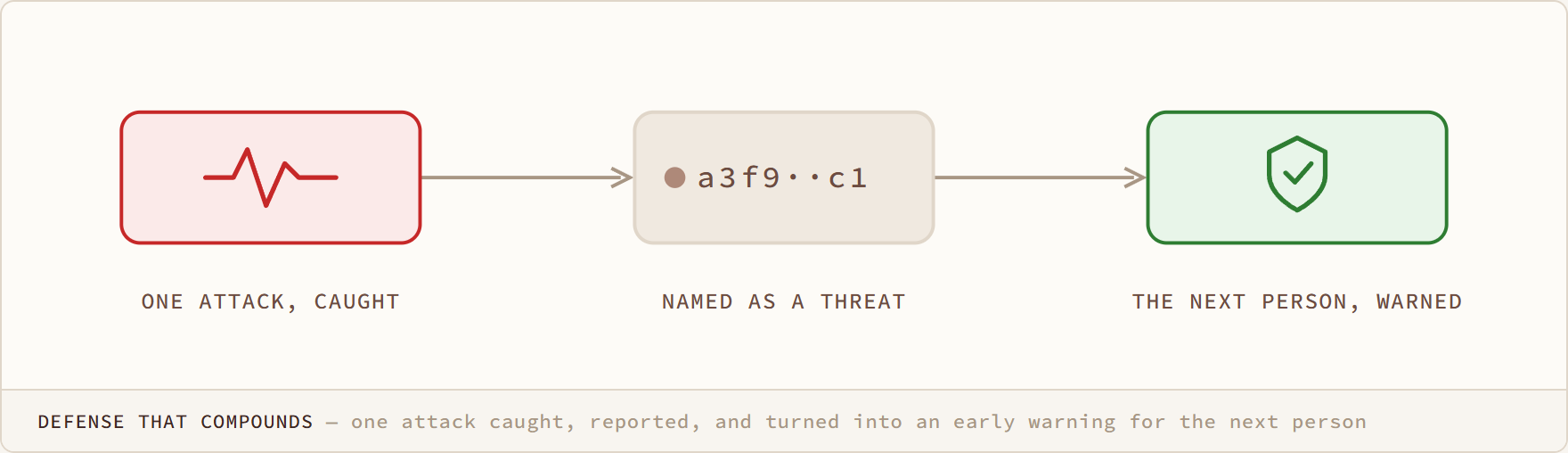
Defense That Compounds diagram: one attack caught, reported, and turned into an early warning for the next person

Defense That Compounds

one attack caught, reported, and turned into an early warning for the next person
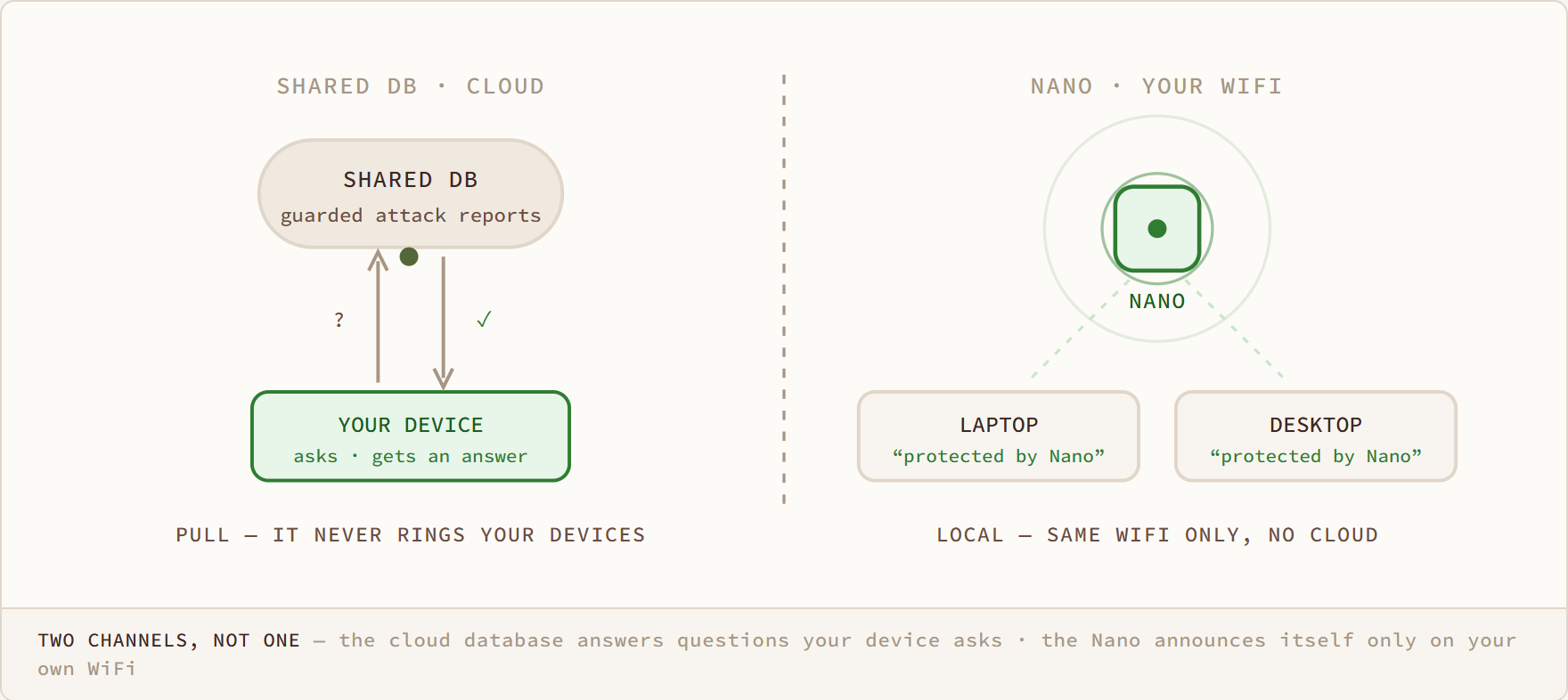
Mission
Two Channels, Not One diagram: the cloud database answers questions your device asks · the Nano announces itself only on your own WiFi
Two Channels, Not One

the cloud database answers questions your device asks · the Nano announces itself only on your own WiFi

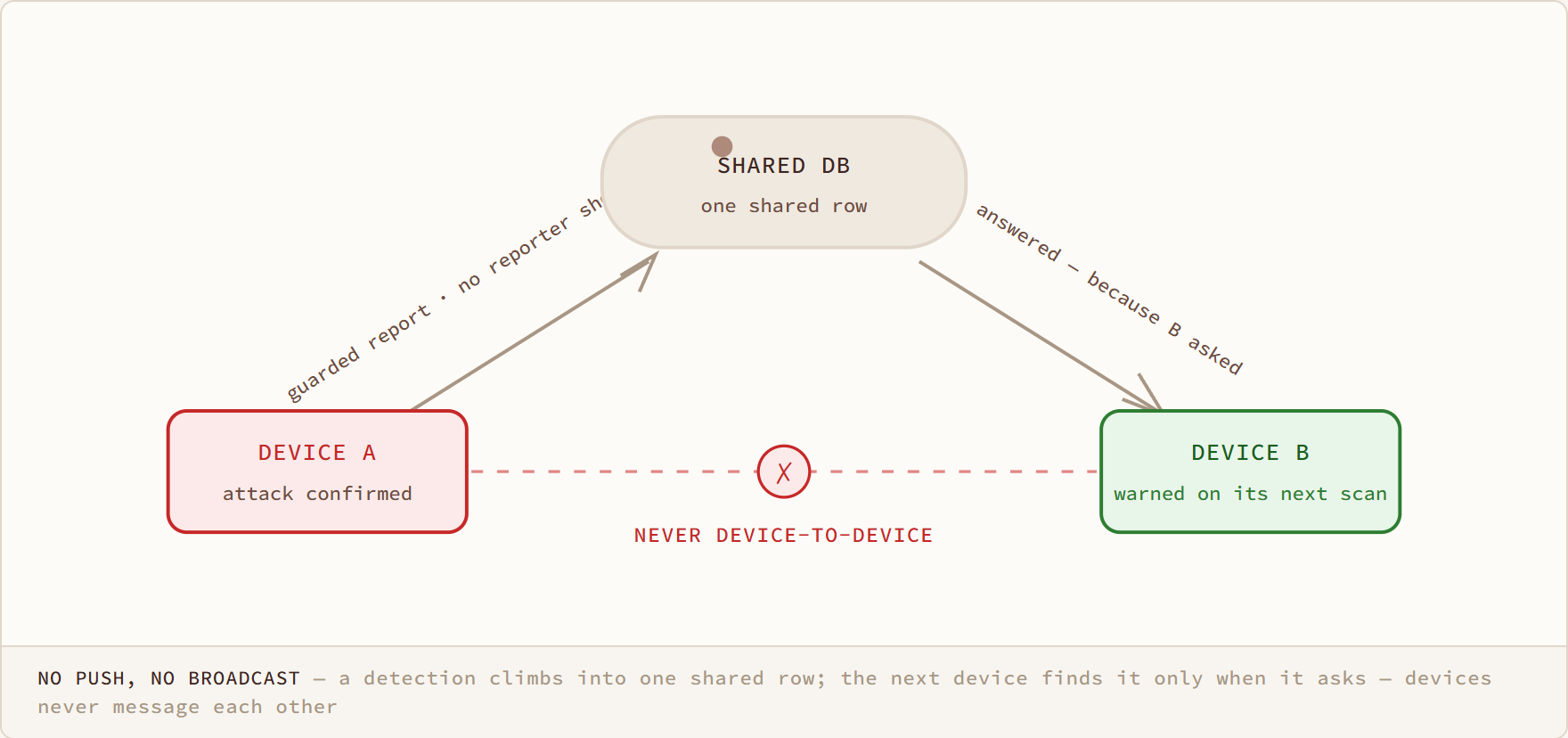
No Push, No Broadcast diagram: a detection climbs into one shared row; the next device finds it only when it asks — devices never message each other

No Push, No Broadcast

a detection climbs into one shared row; the next device finds it only when it asks — devices never message each other

/ COVERAGE

Coverage1

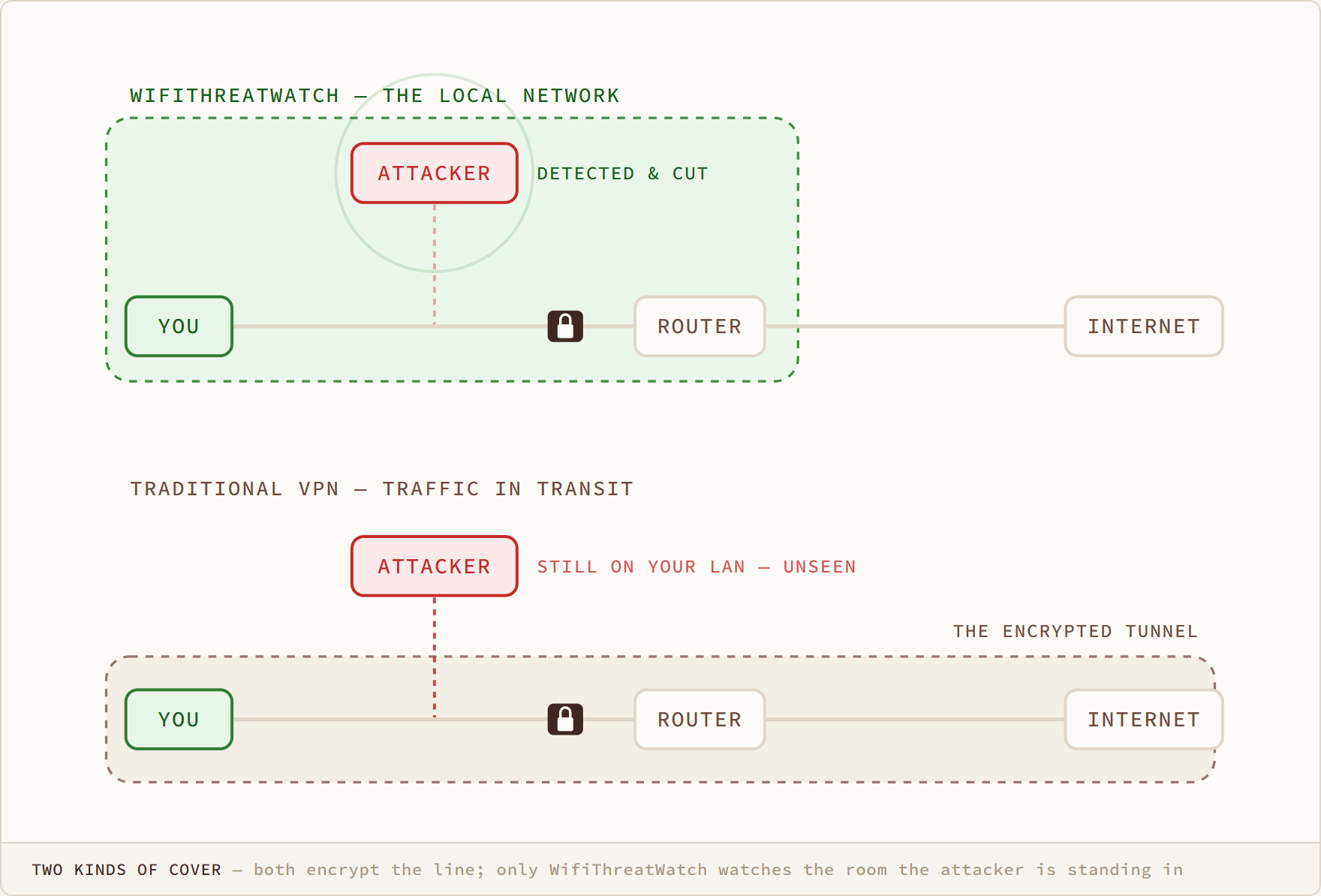
Two Kinds of Cover diagram: both encrypt the line; only WifiThreatWatch watches the room the attacker is standing in

Two Kinds of Cover

both encrypt the line; only WifiThreatWatch watches the room the attacker is standing in

Compare
/ OVERVIEW

Overview3

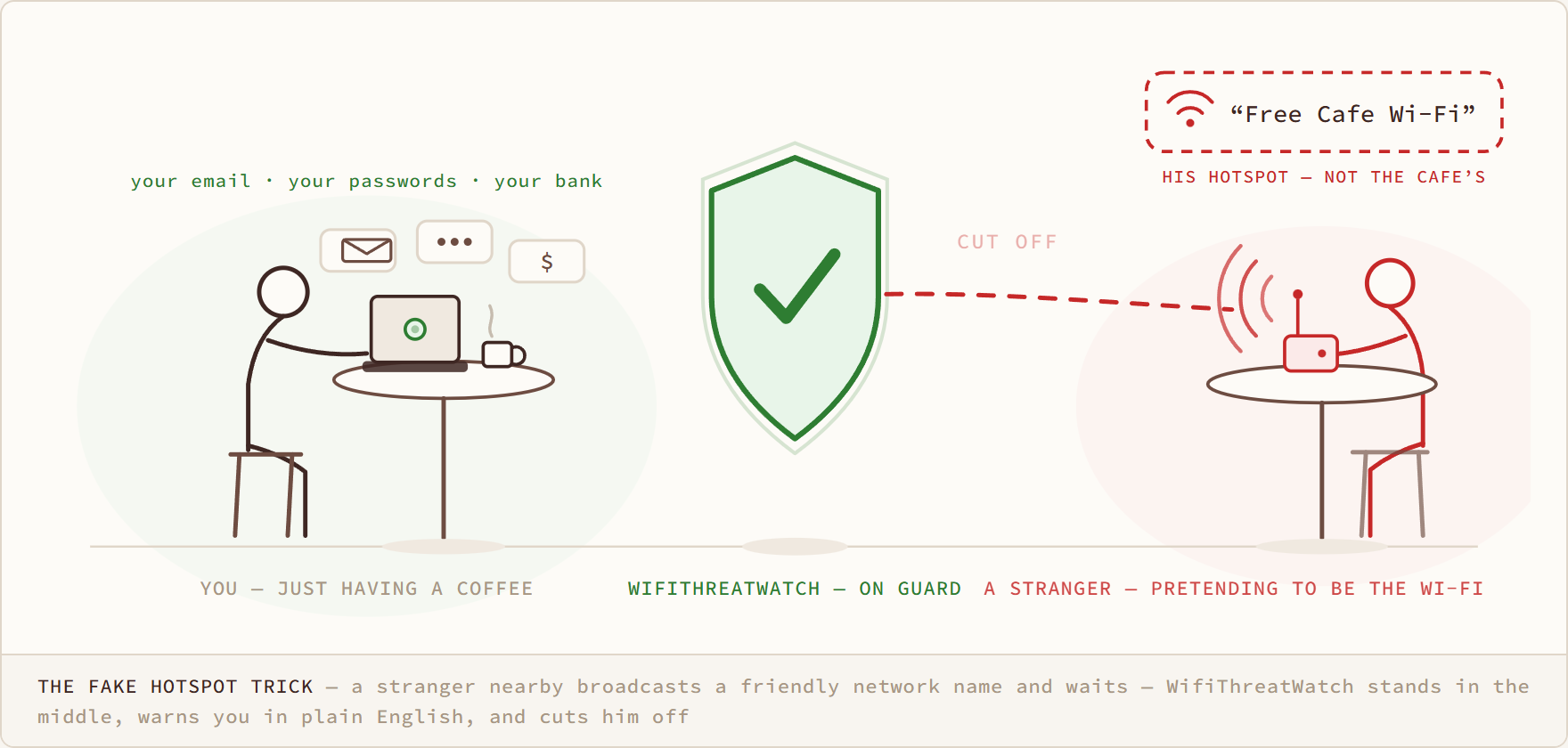
The Fake Hotspot Trick diagram: a stranger nearby broadcasts a friendly network name and waits — WifiThreatWatch stands in the middle, warns you in plain English, and cuts him off
The Fake Hotspot Trick

a stranger nearby broadcasts a friendly network name and waits — WifiThreatWatch stands in the middle, warns you in plain English, and cuts him off

the homepage
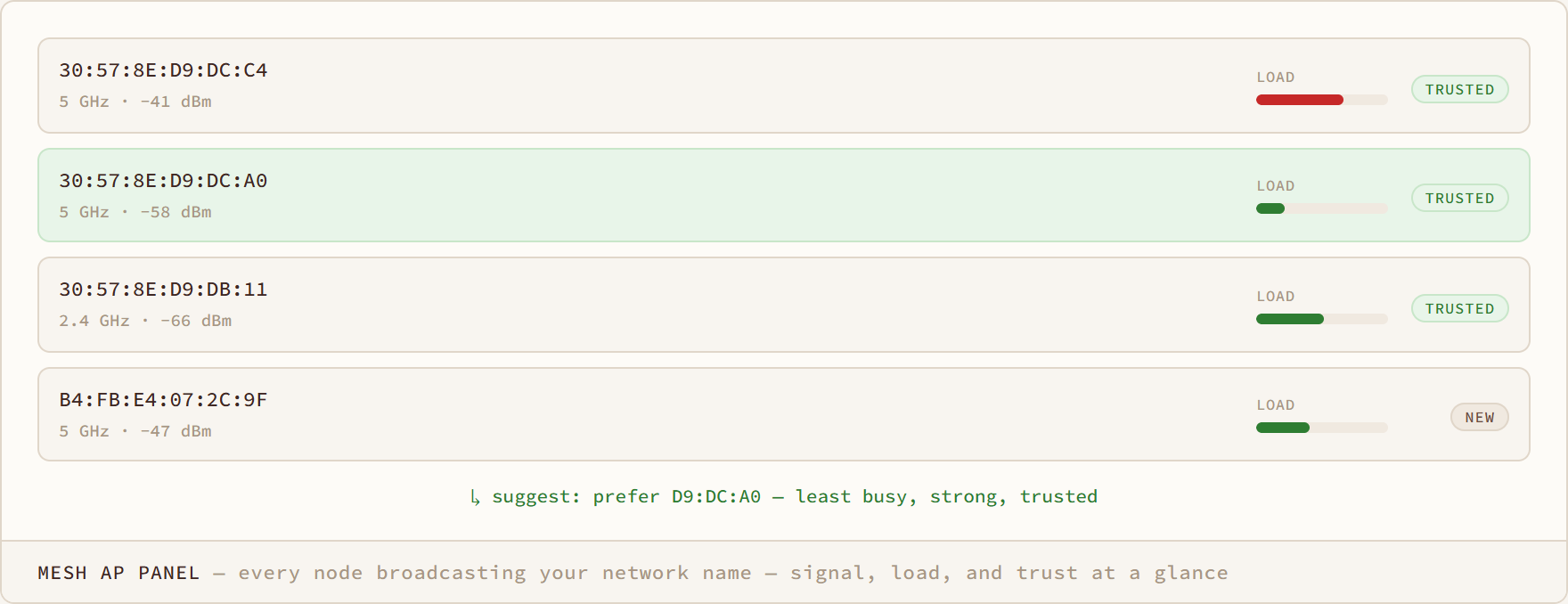
Mesh AP Panel diagram: every node broadcasting your network name — signal, load, and trust at a glance
Mesh AP Panel

every node broadcasting your network name — signal, load, and trust at a glance

the homepage
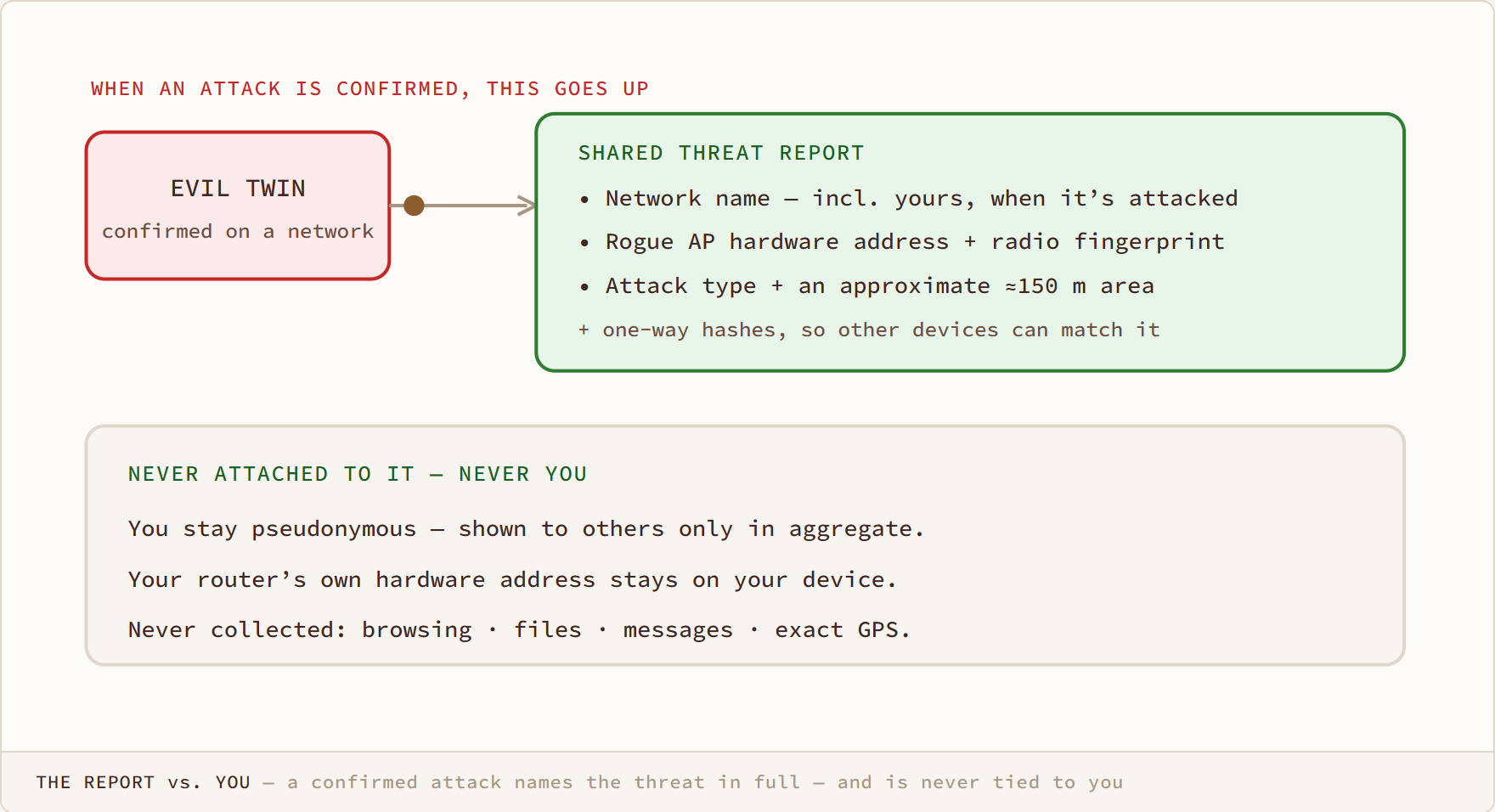
The Report vs. You diagram: a confirmed attack names the threat in full — and is never tied to you

The Report vs. You

a confirmed attack names the threat in full — and is never tied to you

the homepage
/ FIELD REPORTS

Field reports6

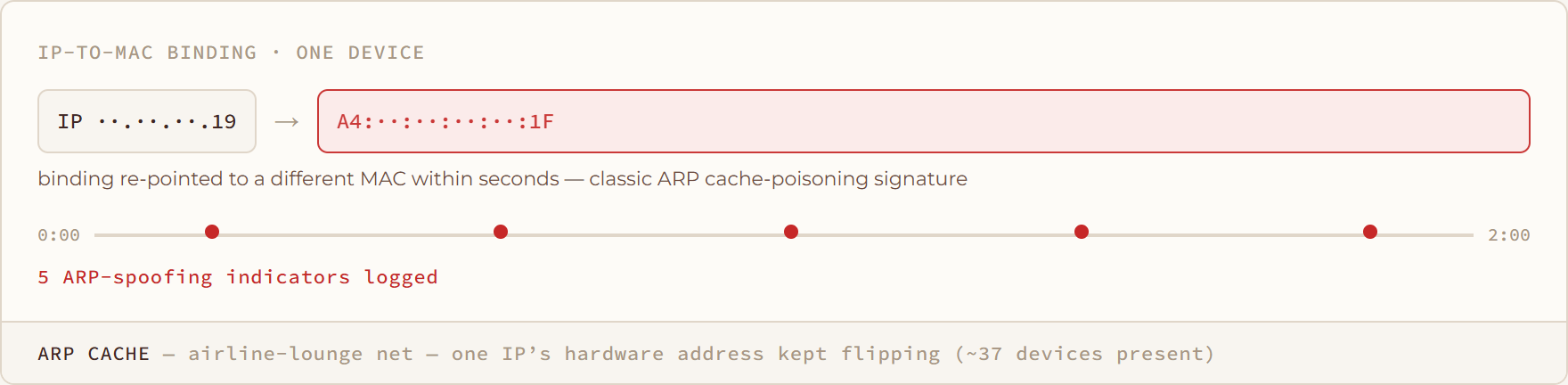
ARP Cache diagram: airline-lounge net — one IP’s hardware address kept flipping (~37 devices present)
ARP Cache

airline-lounge net — one IP’s hardware address kept flipping (~37 devices present)

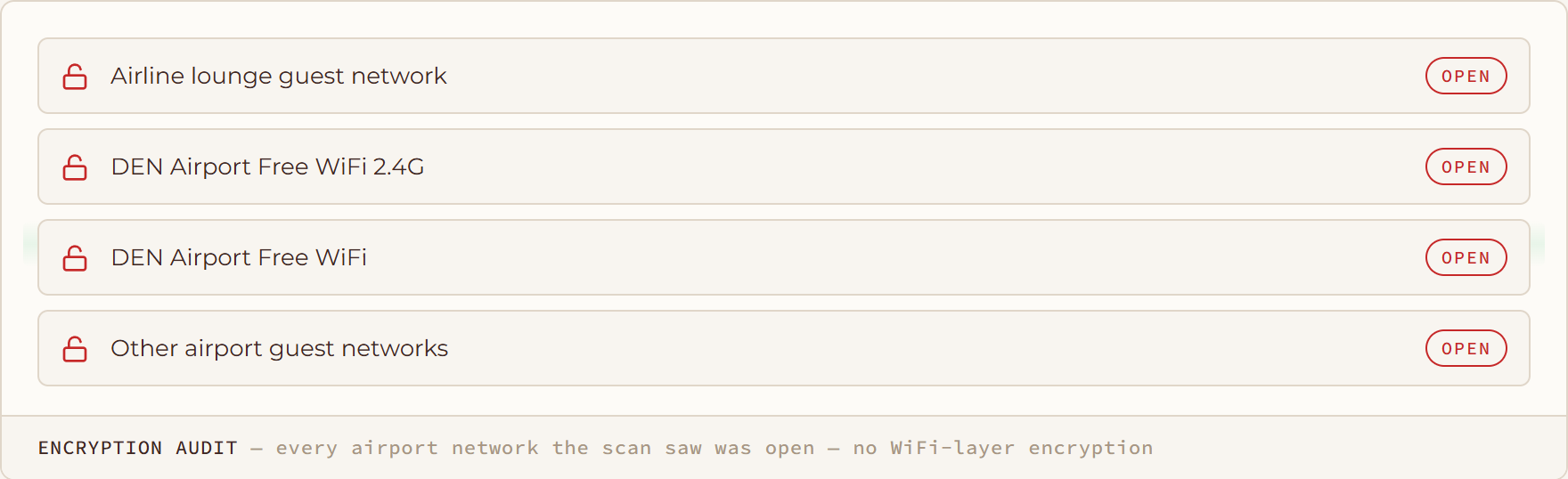
Encryption Audit diagram: every airport network the scan saw was open — no WiFi-layer encryption
Encryption Audit

every airport network the scan saw was open — no WiFi-layer encryption

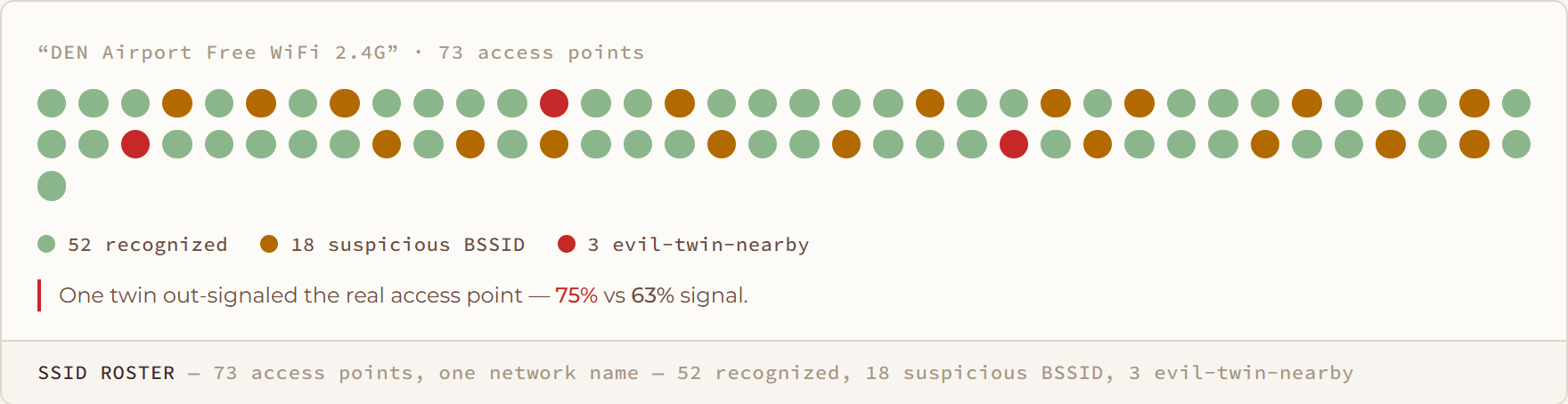
SSID Roster diagram: 73 access points, one network name — 52 recognized, 18 suspicious BSSID, 3 evil-twin-nearby

SSID Roster

73 access points, one network name — 52 recognized, 18 suspicious BSSID, 3 evil-twin-nearby
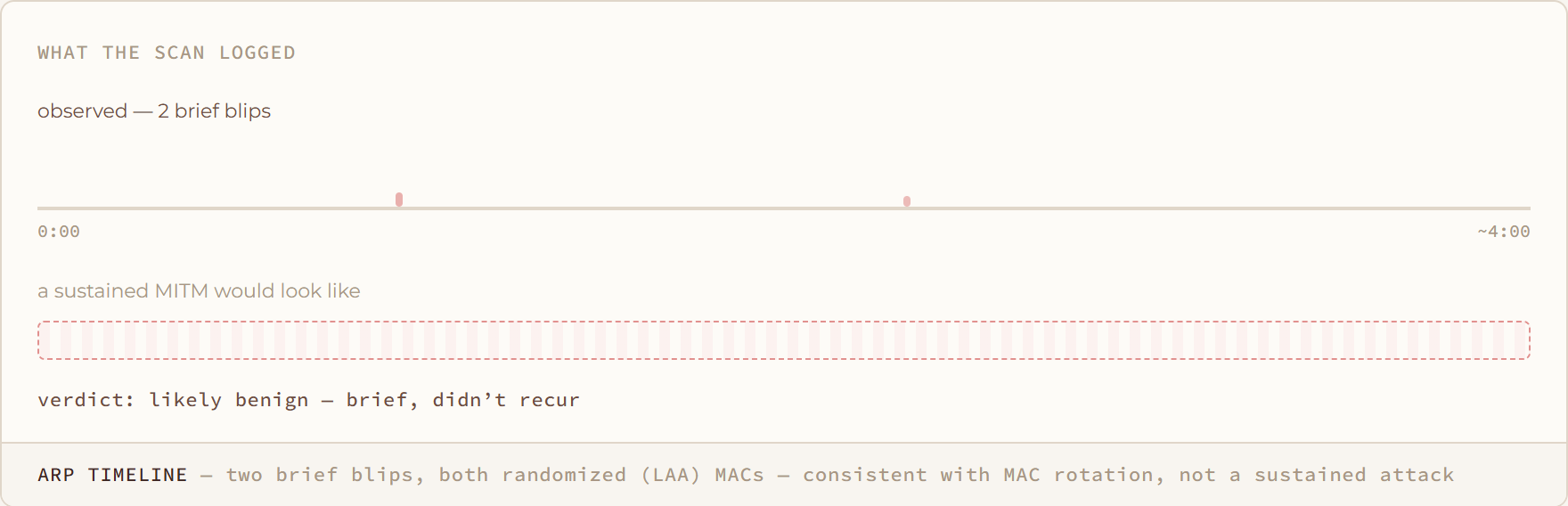
ARP Timeline diagram: two brief blips, both randomized (LAA) MACs — consistent with MAC rotation, not a sustained attack

ARP Timeline

two brief blips, both randomized (LAA) MACs — consistent with MAC rotation, not a sustained attack
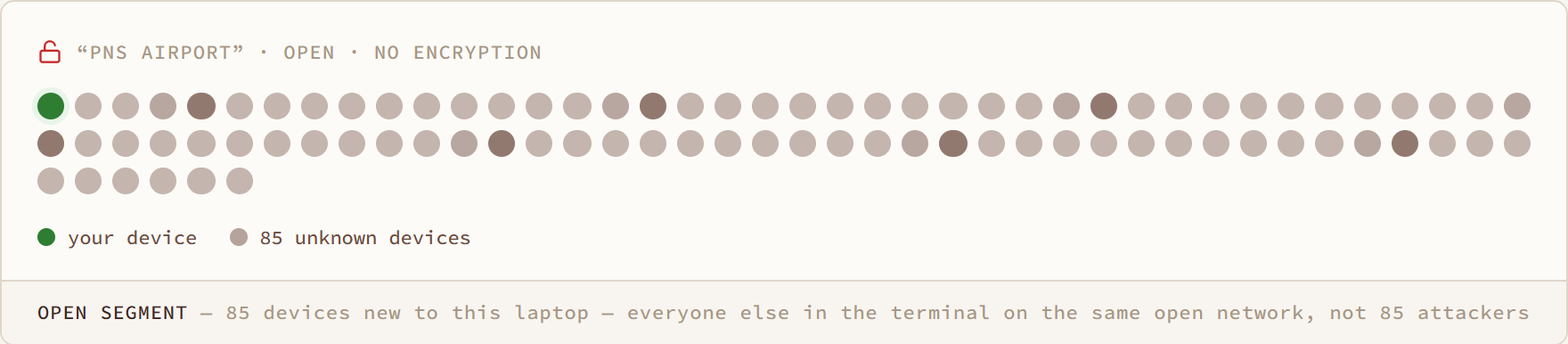
Open Segment diagram: 85 devices new to this laptop — everyone else in the terminal on the same open network, not 85 attackers
Open Segment

85 devices new to this laptop — everyone else in the terminal on the same open network, not 85 attackers

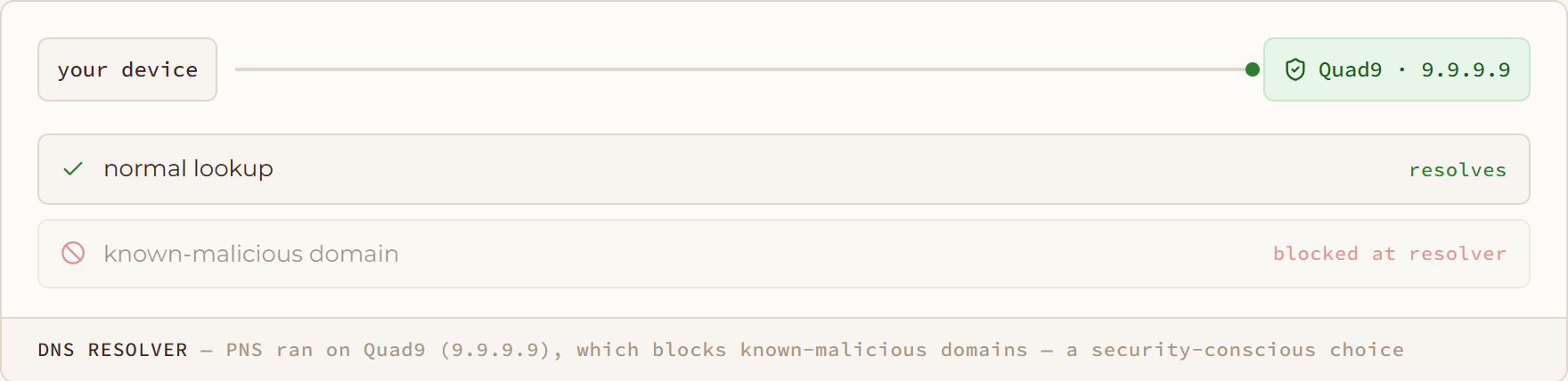
DNS Resolver diagram: PNS ran on Quad9 (9.9.9.9), which blocks known-malicious domains — a security-conscious choice

DNS Resolver

PNS ran on Quad9 (9.9.9.9), which blocks known-malicious domains — a security-conscious choice

You've seen the diagram.
Now see it on your own network.